 Google Ads
 Meta Ads
 Email marketing
 Lightspeed eCom Toolkit
 Shopify Toolkit
Your product page,
redesigned.
A new design for the product page of premiumbikes.nl: Sparta A-Lane Fit and Energy (electric city bike). Below you see every screen before and after, and what we improved.
- 14 before-and-afters
- 23 improvements
- premiumbikes.nl
Every screen, compared.
Pick a screen and drag across the screenshot. On the left you see the current page of premiumbikes.nl, on the right the new design.
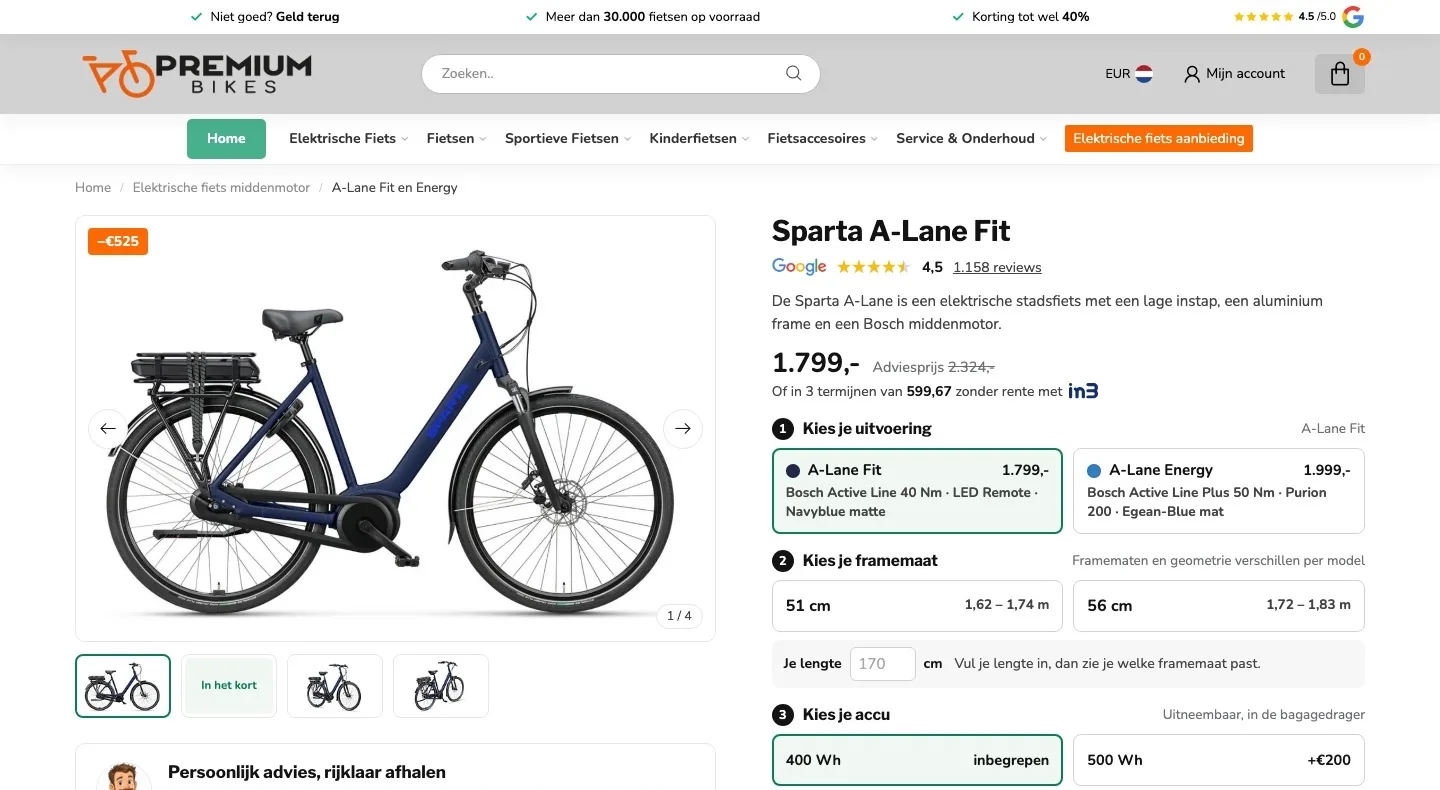
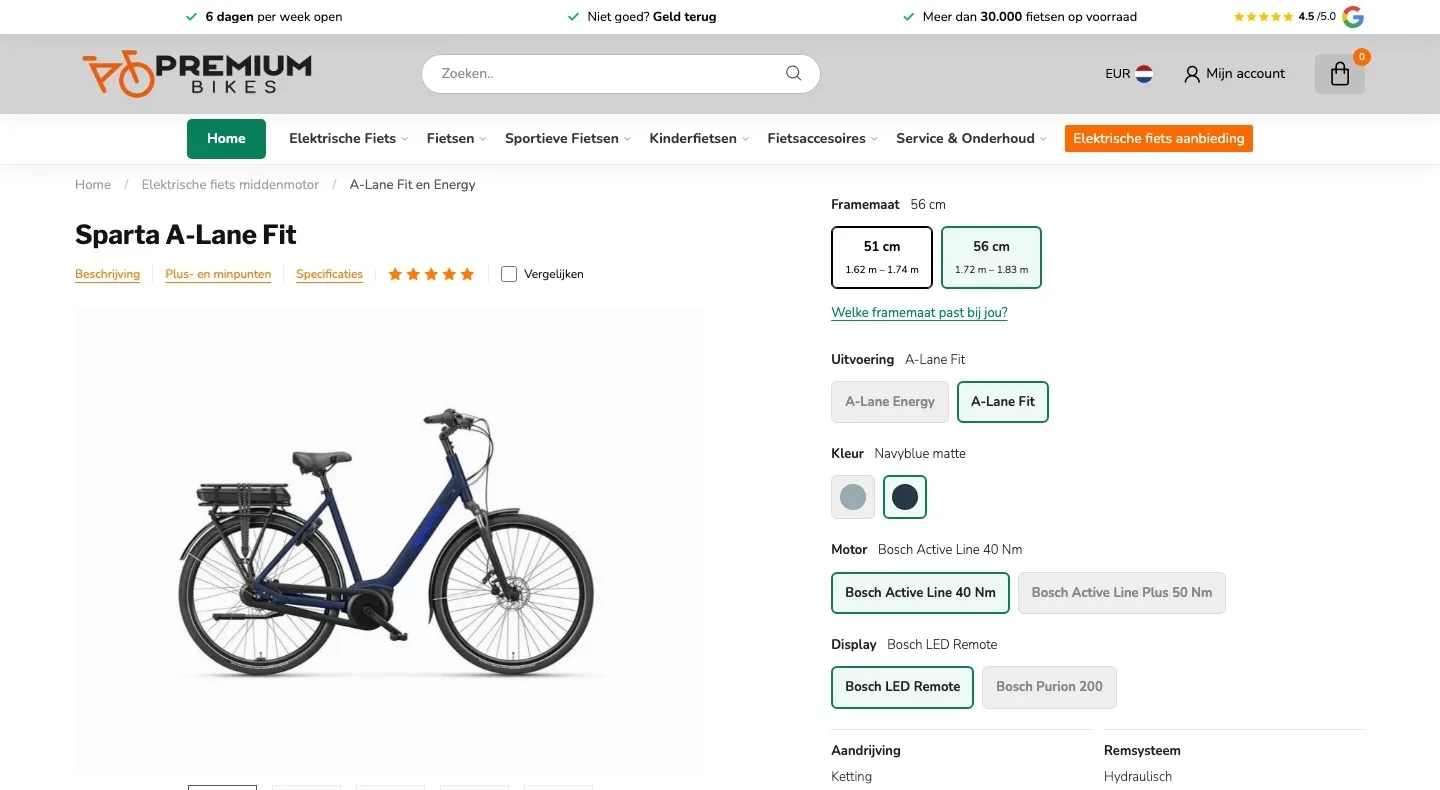
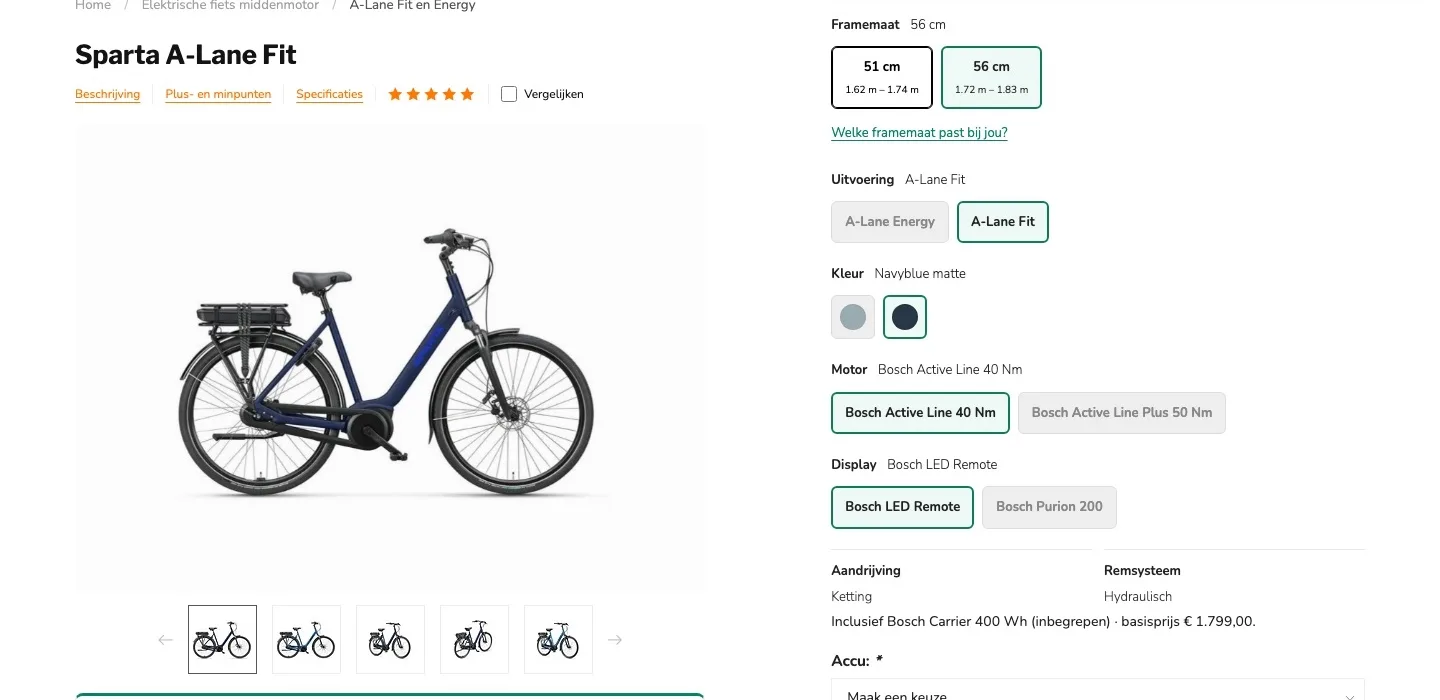
Product page.
Price, score and button at a glance.
- 01Price and button above the foldFirst you saw five option blocks and no price yet. Now the price and the button are right in view.
- 02Google score by the nameFive stars without a number. Now you immediately see the 4.5 from 1,158 Google reviews, with the logo.
- 03In 3 interest-free installmentsiDEAL in3 was only on the payment page. Now you immediately see what you pay per installment.
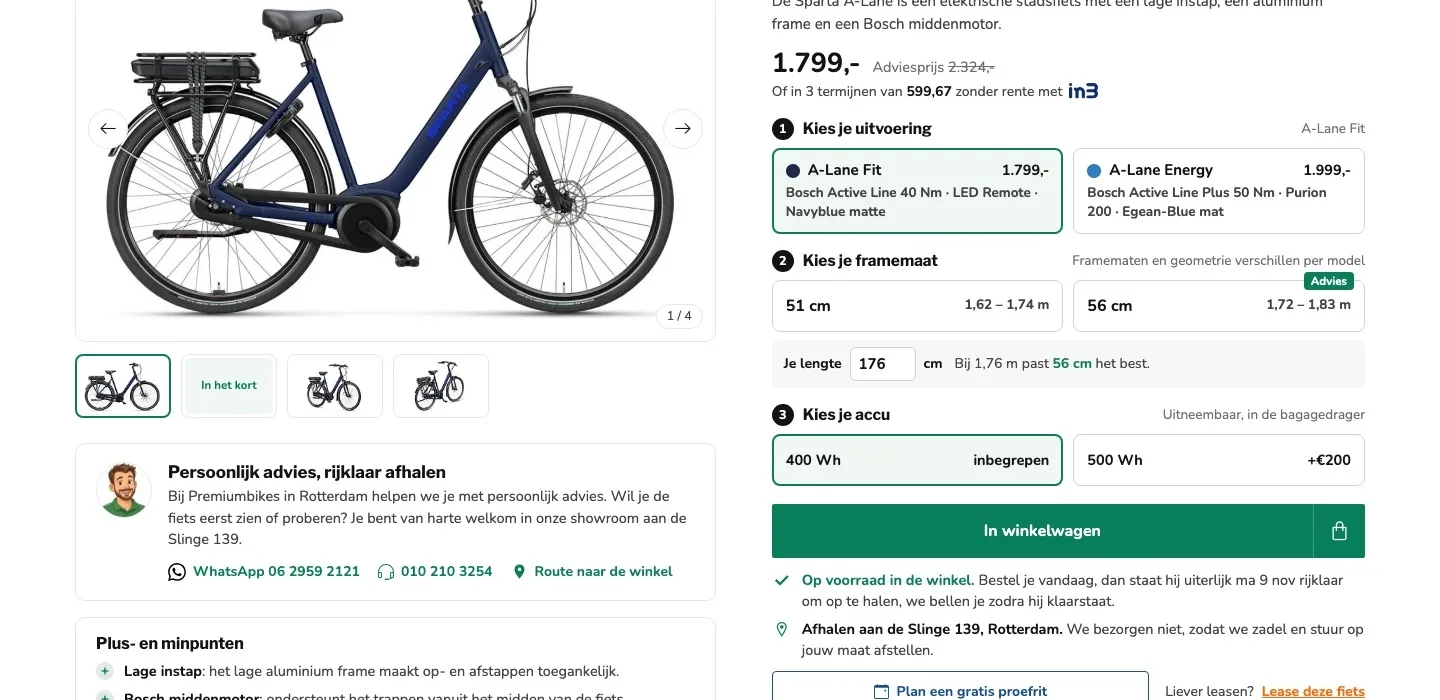
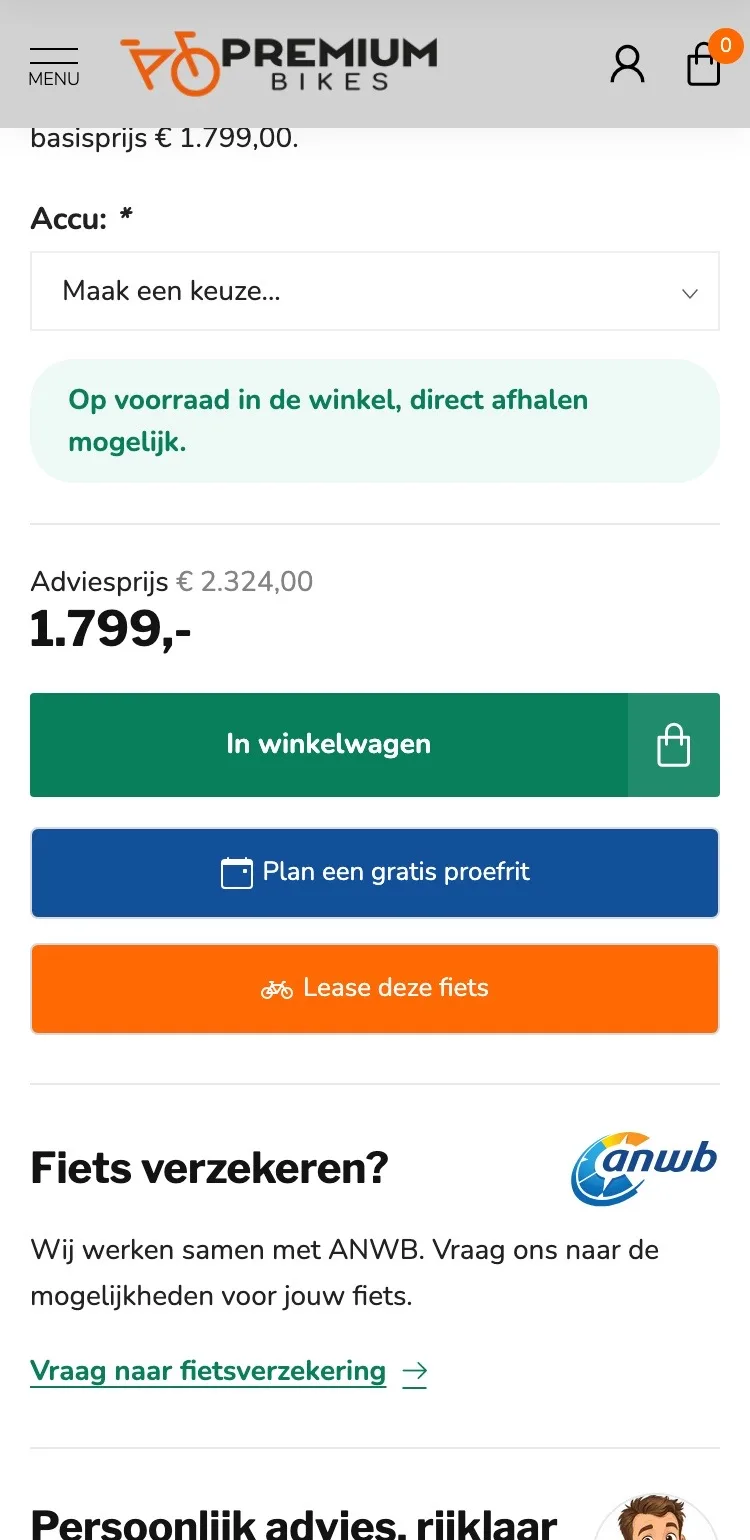
Choosing in three steps.
From five separate choices to three clear steps.
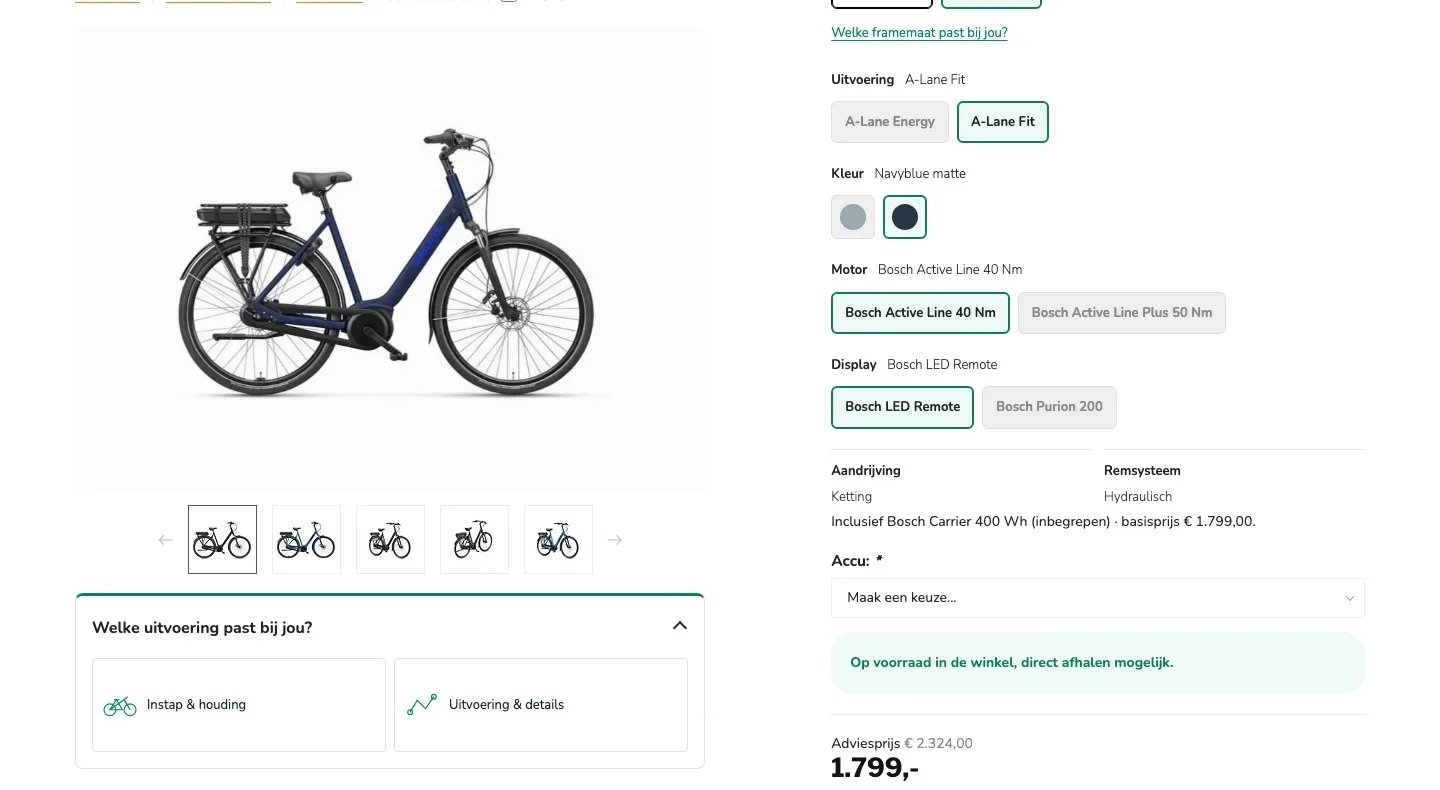
- 01One choice for the versionColor, motor and display were separate buttons, but they come with either Fit or Energy. Now you choose in one go, with the price.
- 02Size advice open right away56 cm was already selected and the help was in a pop-up. Now you enter your height and immediately see which size fits.
- 03Battery without a dropdownYou first had to open ‘Accu: Maak een keuze…’ (Battery: Make a choice…). Now 400 Wh is selected and you pick 500 Wh with one click.
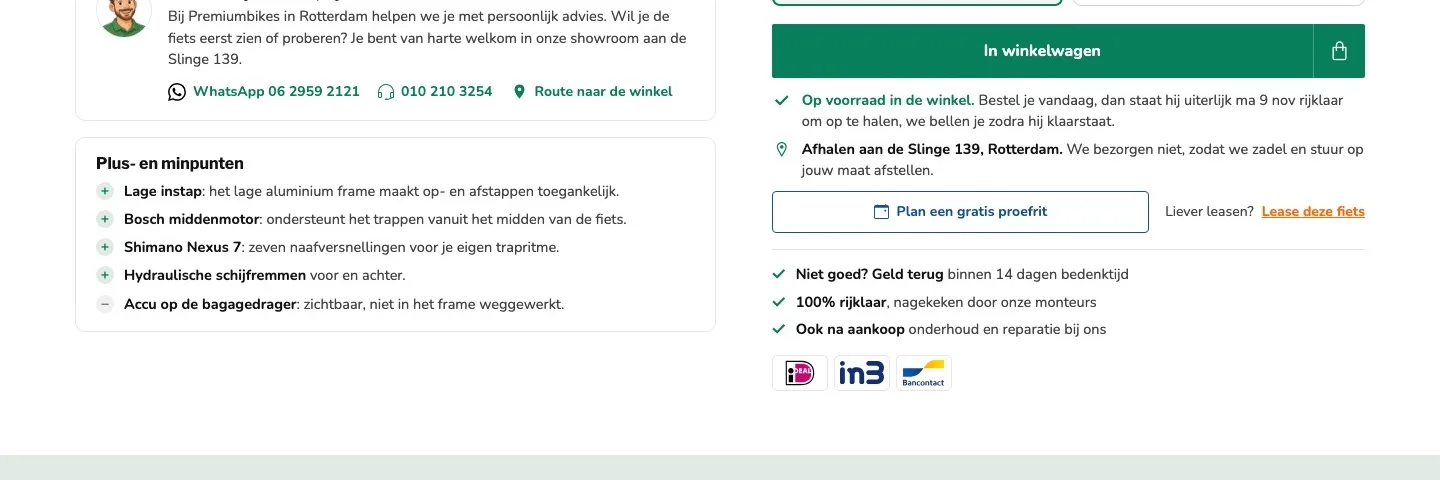
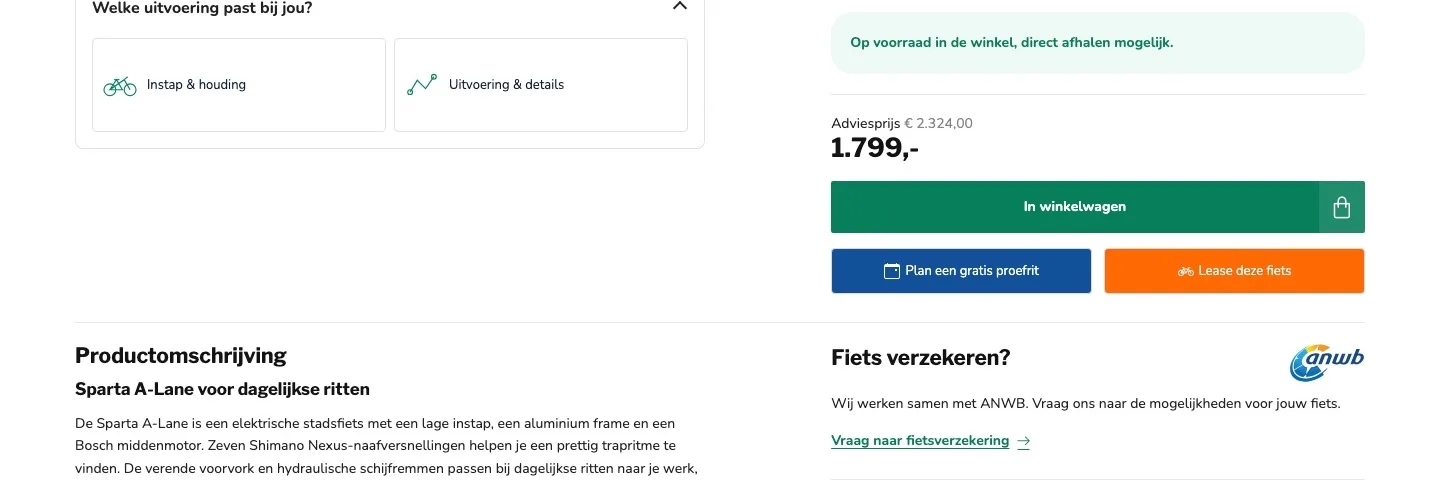
Around the button.
When your bike is ready, and where you pick it up.
- 01The day it’s ready‘Direct afhalen mogelijk’ (Pick up right away) didn’t say when. Now it says on which day your bike is ready to ride and that we’ll call you.
- 02Pickup made clear by the buttonThat you don’t deliver wasn’t mentioned by the button. Now it is, with the reason: saddle and handlebars set to your size.
- 03One main buttonThree equally large buttons in three colors. Now ‘In winkelwagen’ (Add to cart) is the main button, with the test ride next to it.
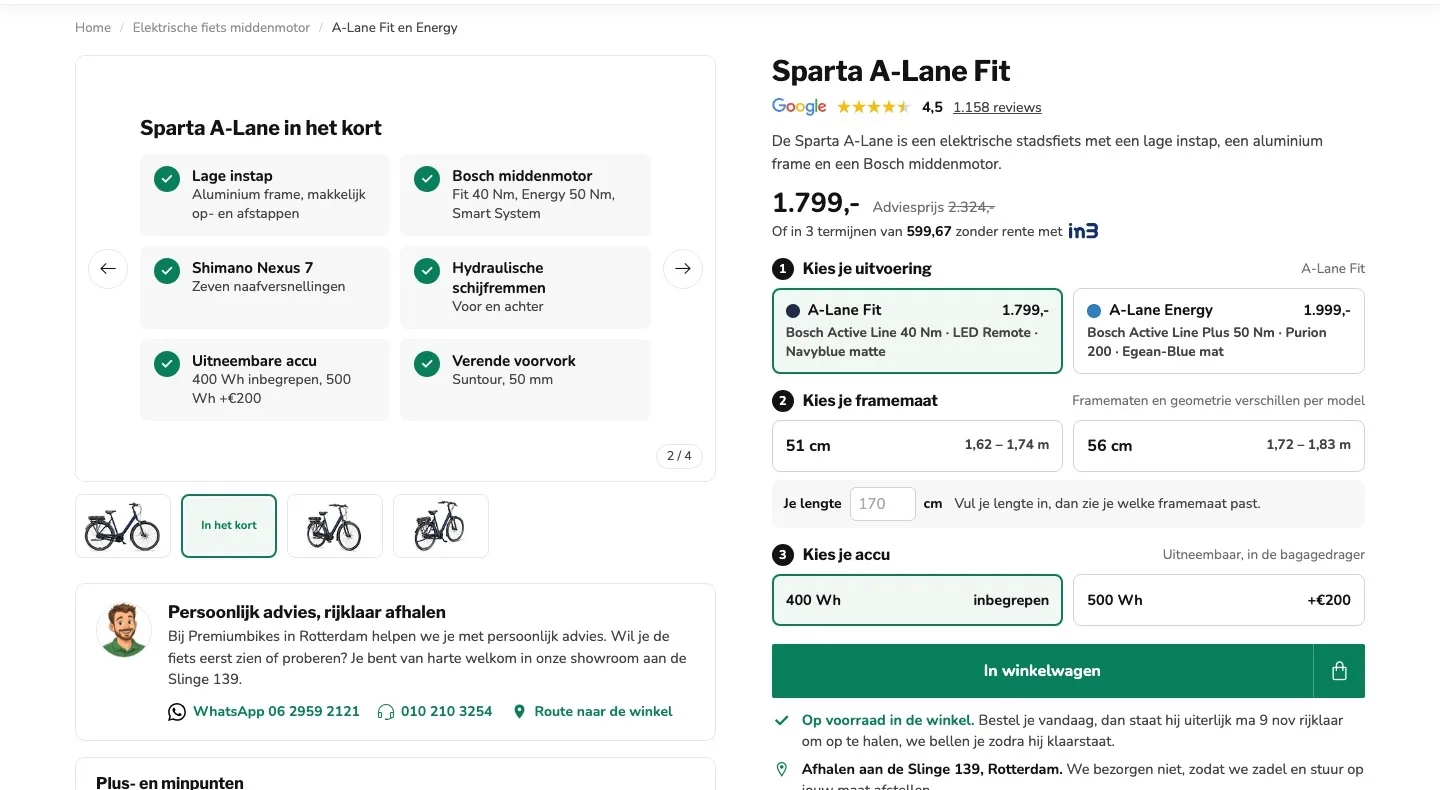
Photos and advice.
The gallery now also tells you what the bike can do.
- 01The essentials in one imageThe second image ‘In het kort’ (In short) shows the step-through, motor, gears, brakes and battery, without scrolling.
- 02Only your colorYou saw Fit and Energy mixed together. Now the gallery shows the photos of the version you choose, with the discount on them.
- 03Advice right below the photo‘Welke uitvoering past bij jou?’ (Which version suits you?) only showed something after a click. Now advice, WhatsApp and phone are there right away.
Reviews.
Your customers’ experiences right after the button.
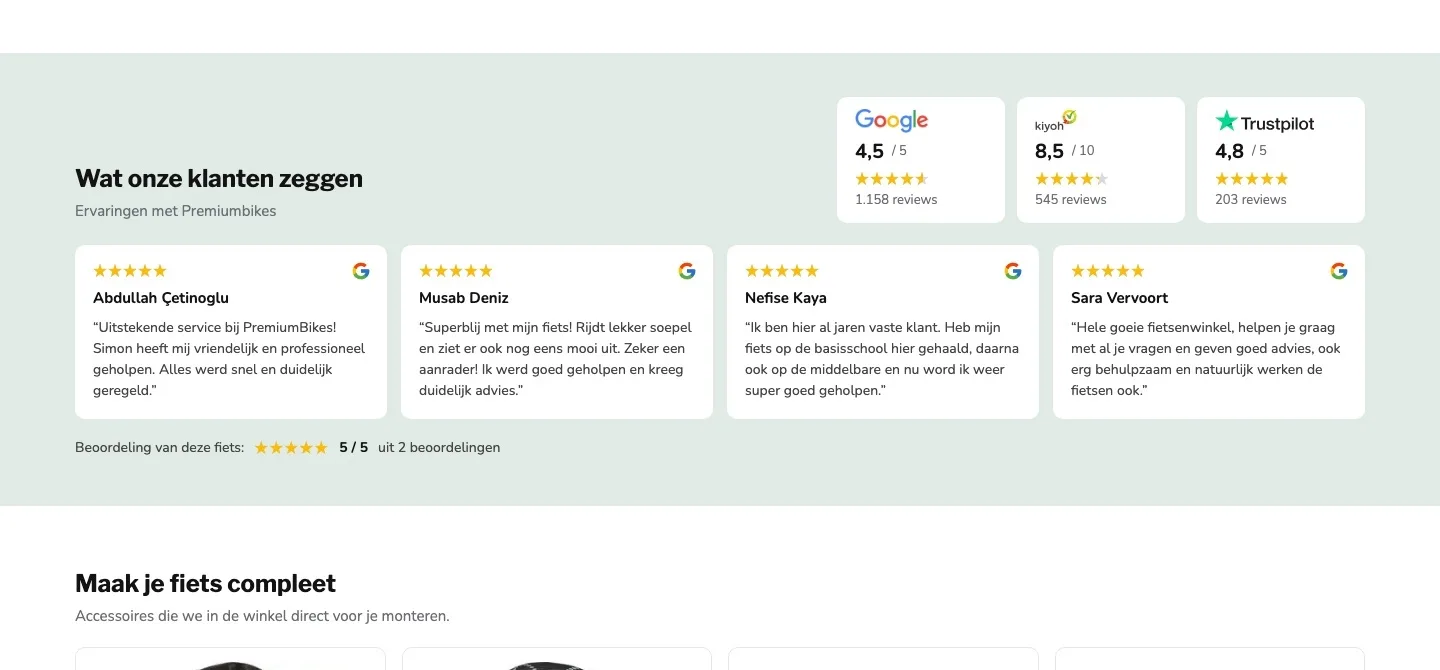
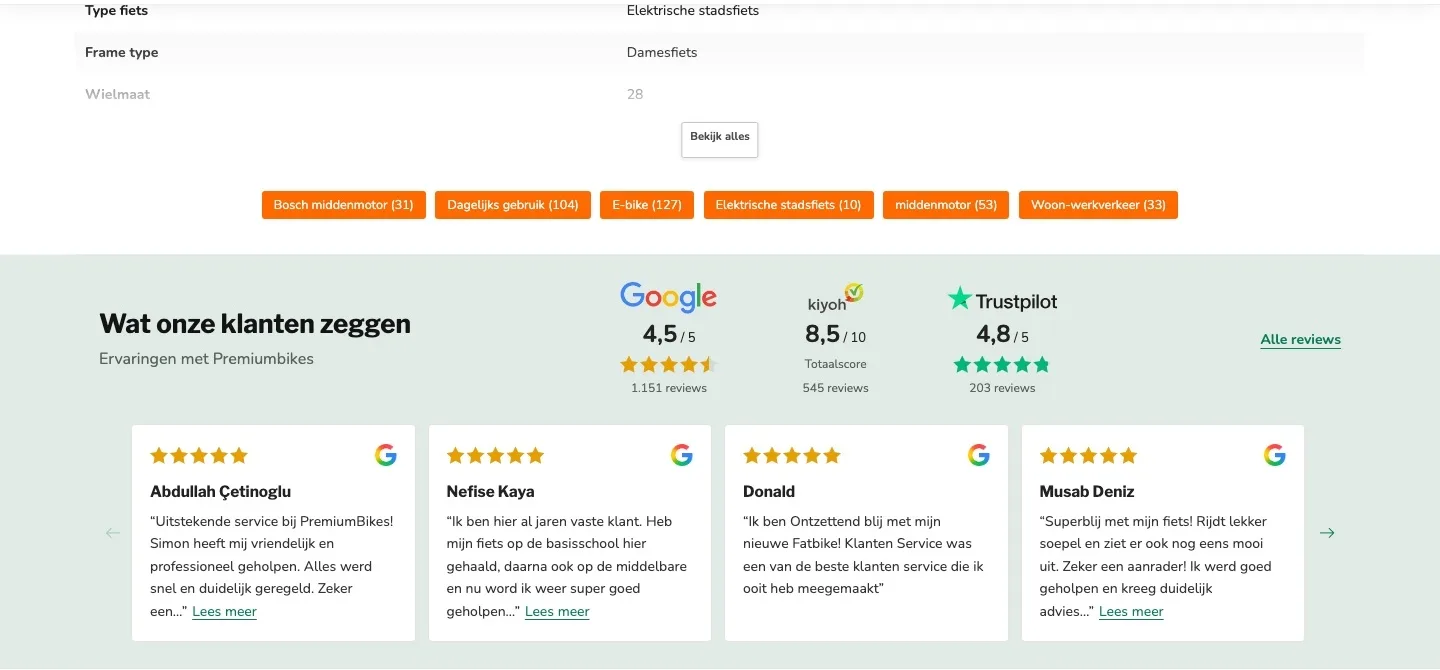
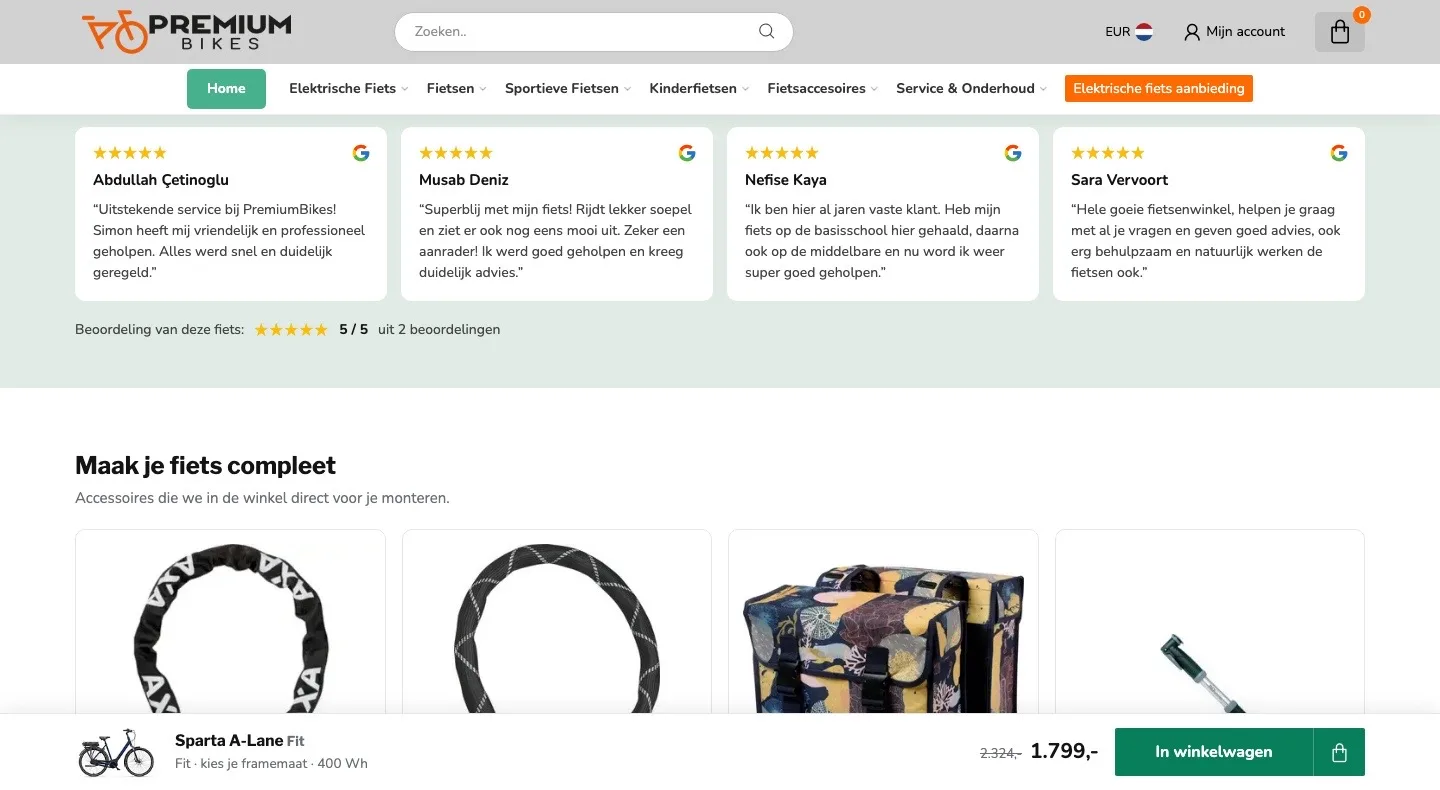
- 01Reviews higher up the pageThe customer reviews only came after the specifications. Now they follow right after the buy box, where the doubt is.
- 02No more tags in betweenSix orange tag buttons led away from the bike. They’re gone, so the review block follows directly.
- 03Full reviews you can readEvery review stopped halfway with ‘Lees meer’ (Read more). Now you read the short reviews in full in the card.
Fit or Energy?.
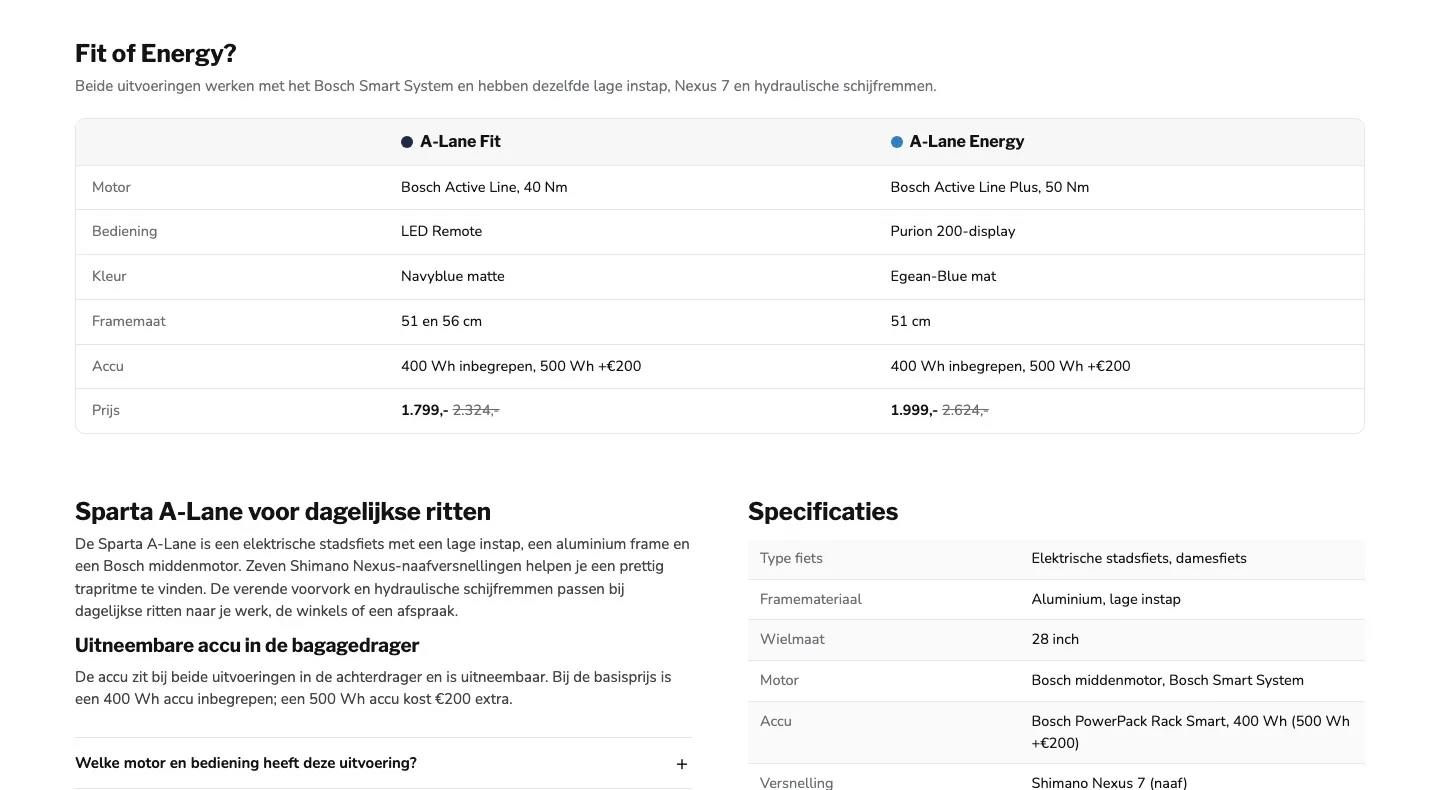
The difference between the versions in one table.
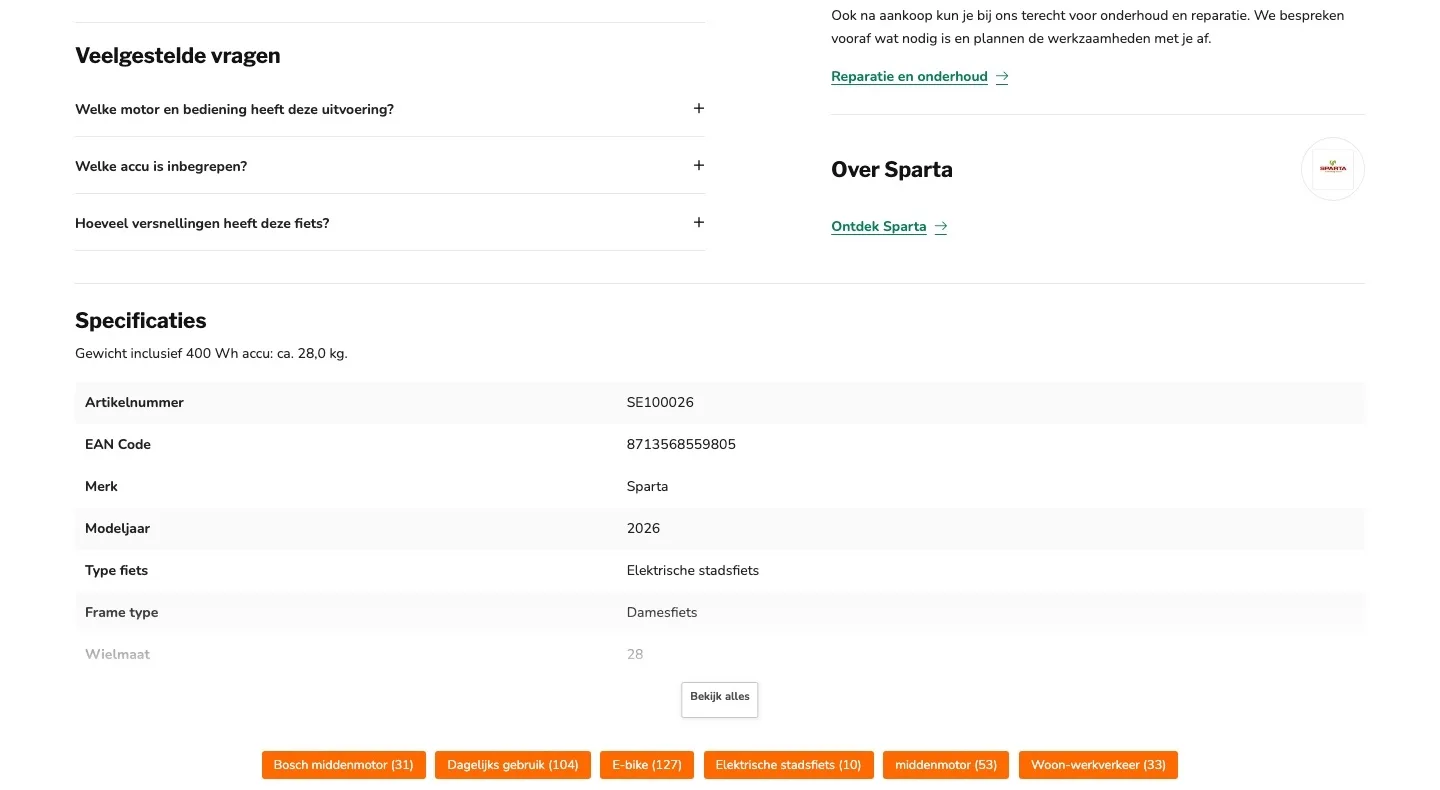
- 01Fit and Energy side by sideYou had to work out the difference from separate buttons and the FAQ. Now motor, display, color, sizes and price are in one table.
- 02Both prices in viewYou only saw that the Energy costs €1,999 after clicking. Now both prices are in the table, with the recommended retail price.
- 03Specifications that matterThe table started with the item number and EAN code. Now it starts with bike type, frame, motor and battery.
Buy bar.
You can always order, even while you keep reading.
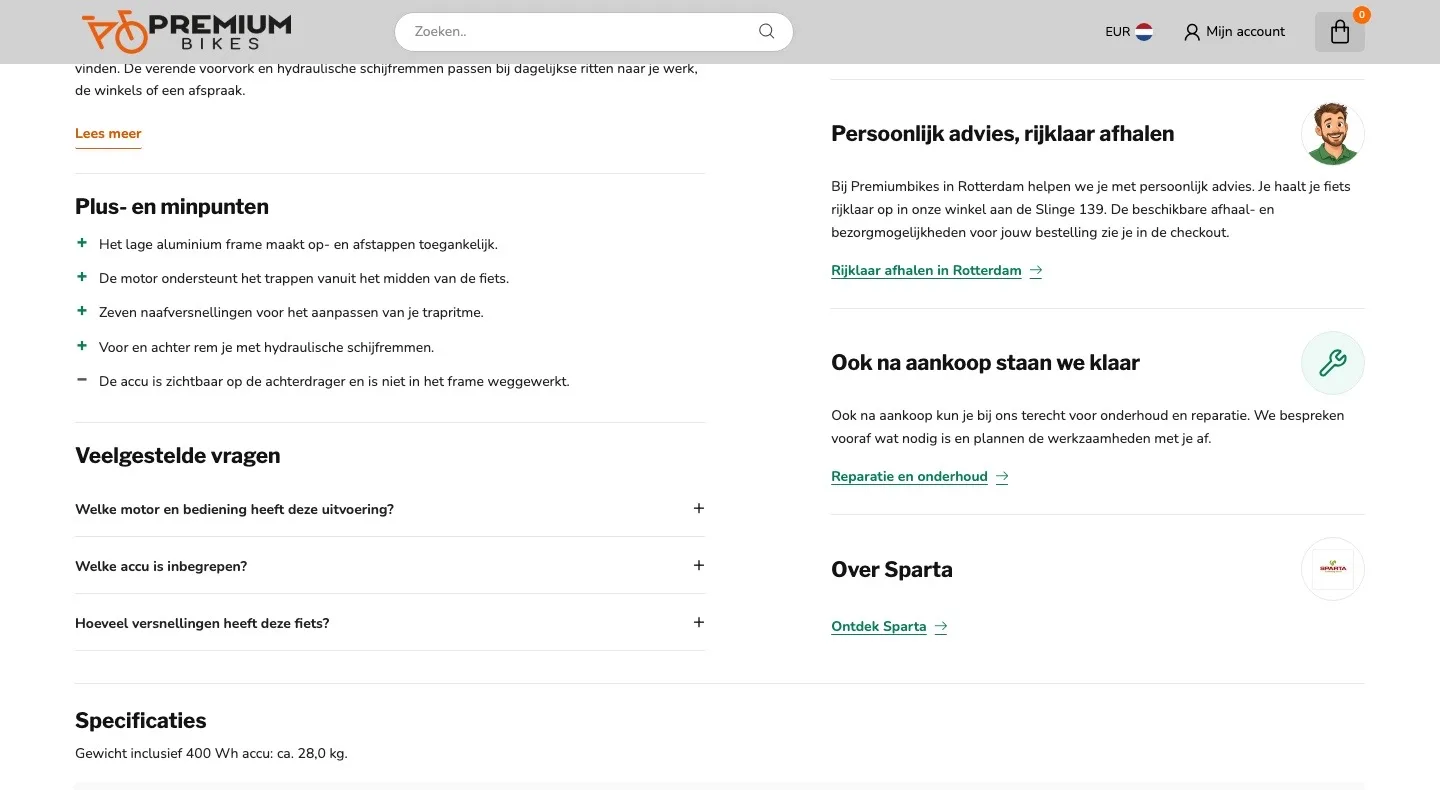
- 01Button always at handAfter scrolling you had to go back to the top to order. Now there’s a bar at the bottom with photo, price and button.
- 02Your choice in the barVersion, frame size and battery are in the bar, so you see what you’re ordering before you click.
- 03No size? Pick it in one tapWithout a frame size, the button opens a selection window. Tap your size and it goes straight into your cart.
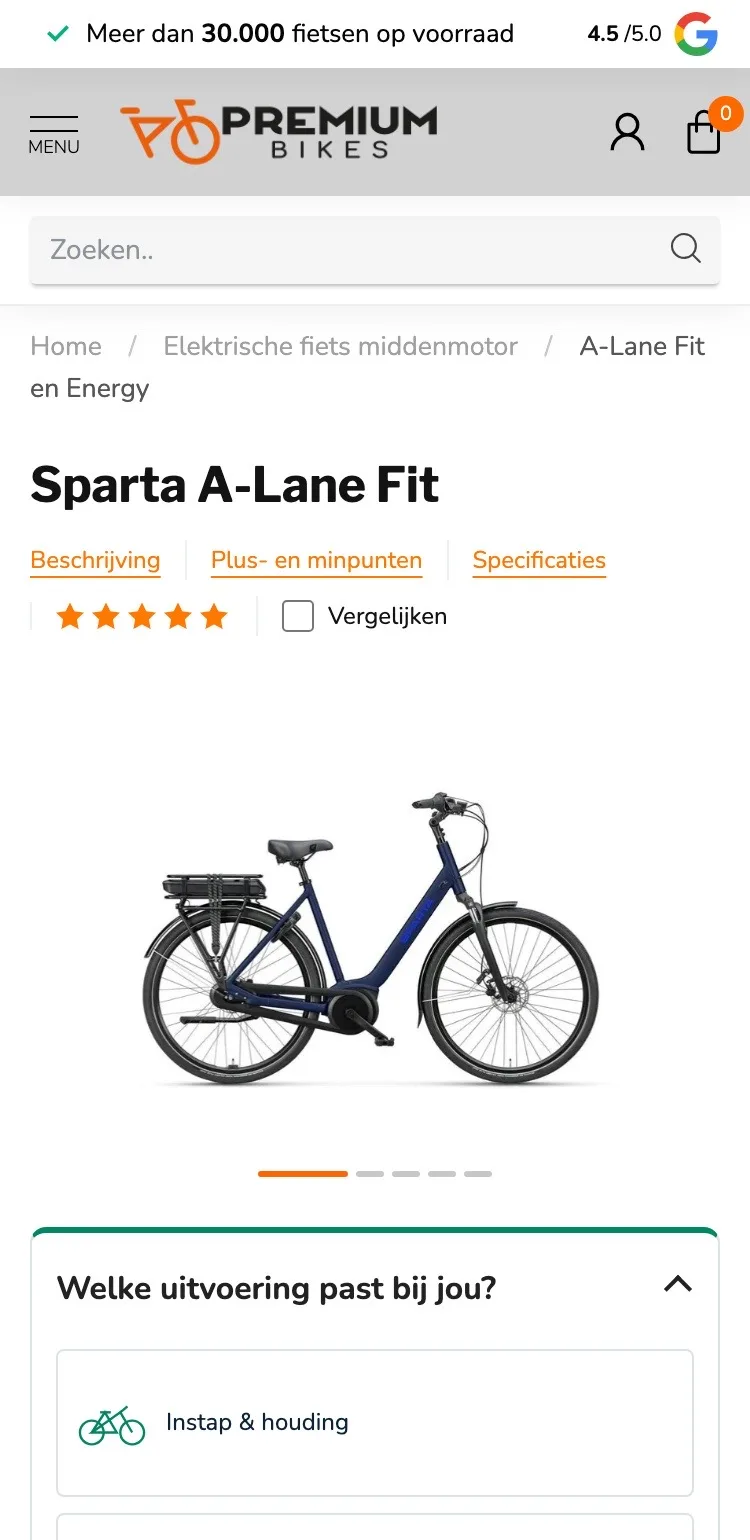
Product page.
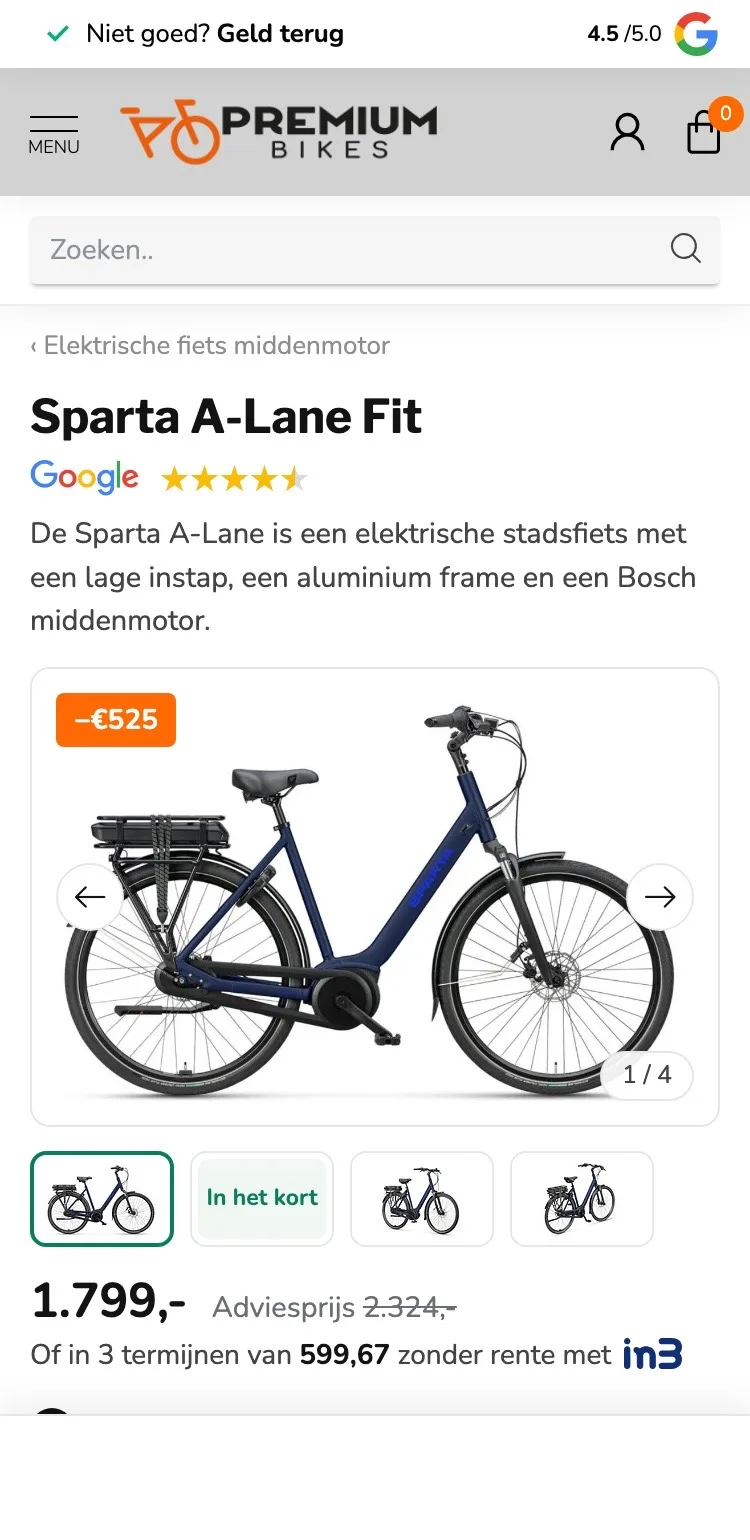
On mobile, price, score and photo right in view.
- 01Discount on the photoThe recommended retail price only appeared after the five option blocks. Now you see ‘−€525’ on the photo and the price below it.
- 02Always a button at the bottomThere was no fixed buy button. Now there’s a bar at the bottom with photo, price, your choice and the button.
- 03A short way back to the categoryThe long breadcrumb ran over two lines. Now one tap takes you back to Elektrische fiets middenmotor (mid-drive e-bikes).
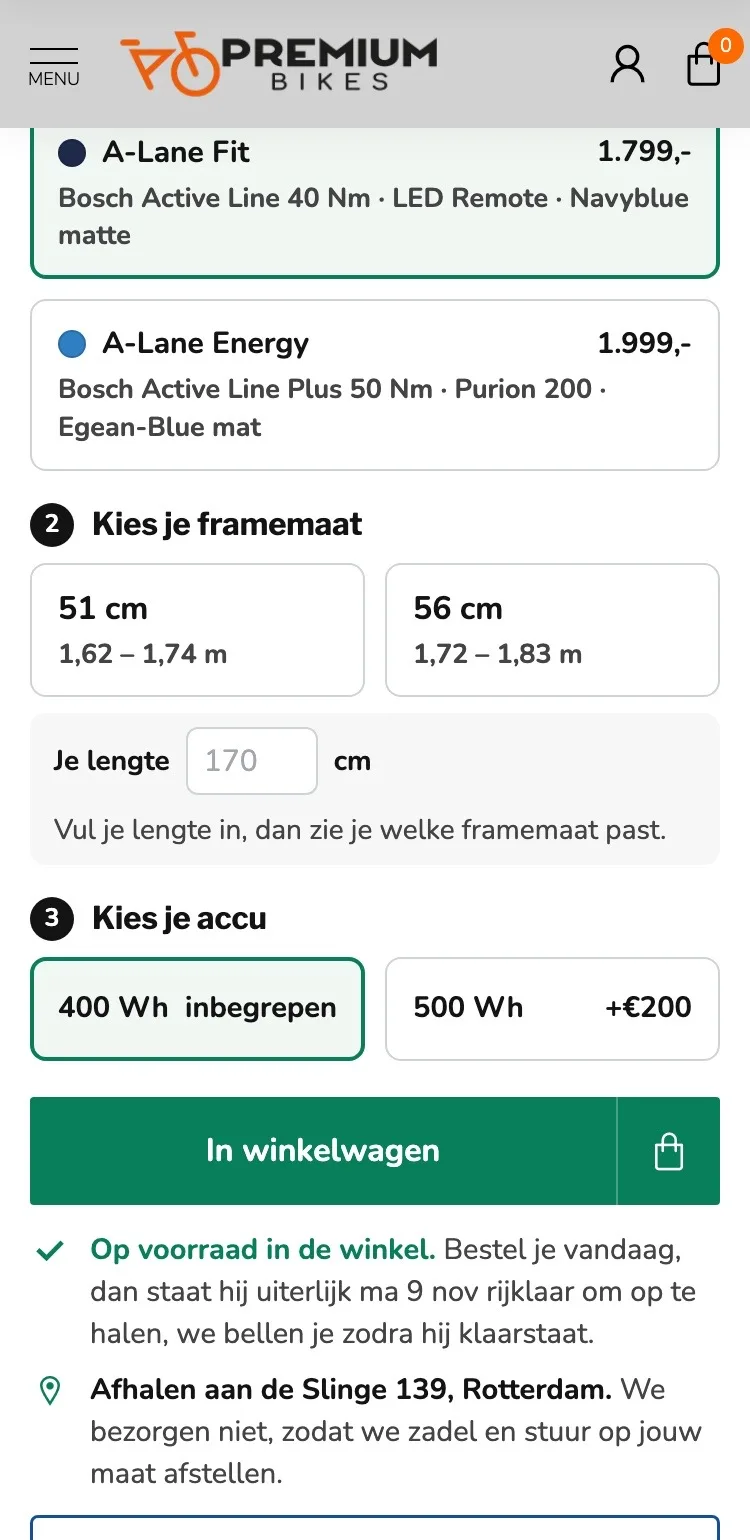
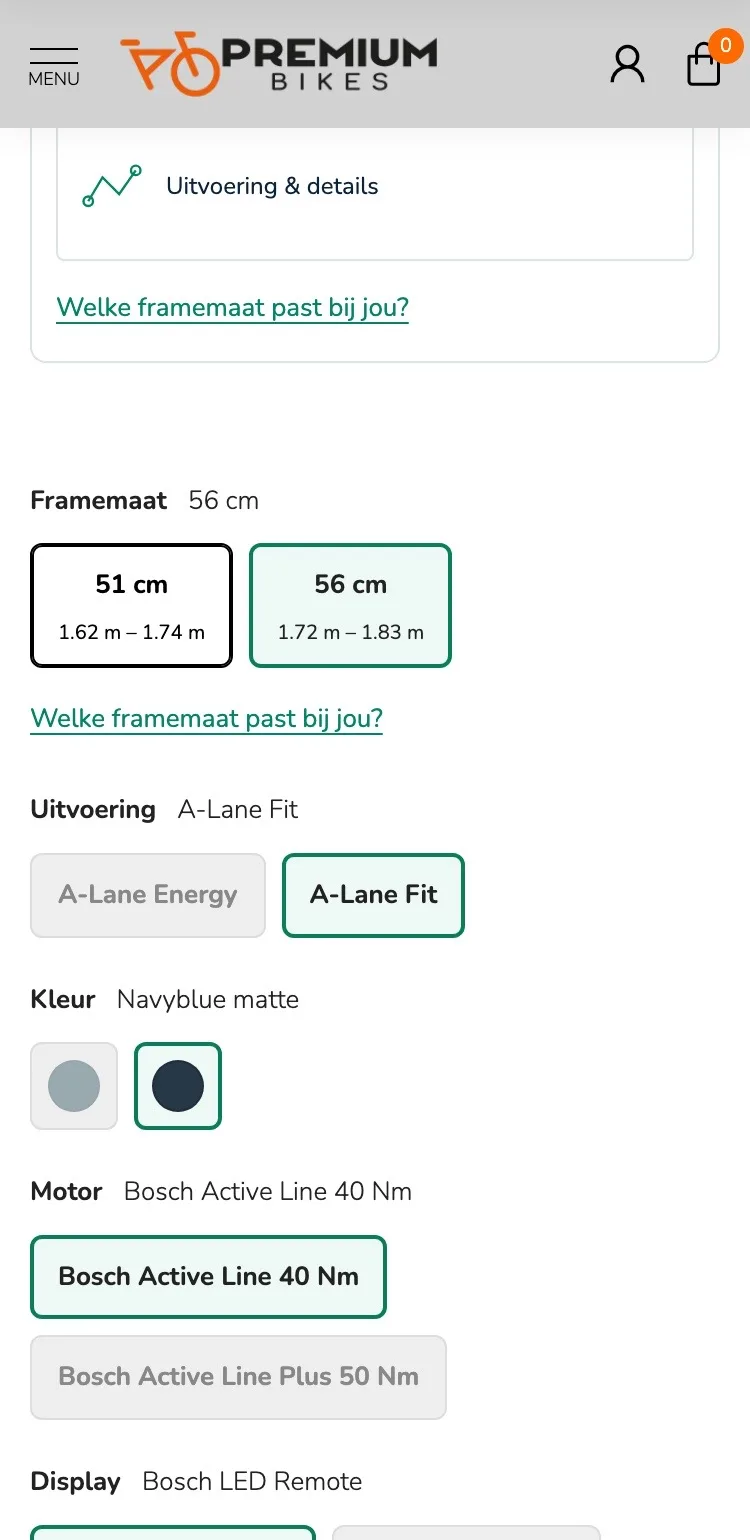
Choosing in three steps.
Version, frame size and battery: numbered and compact.
- 01One choice for the versionColor, motor and display were separate, but they come with either Fit or Energy. Now you choose in one tap, with the price.
- 02Size advice open right awayThe frame size help was in a pop-up. Now you enter your height and see which size fits.
- 03No size preselected56 cm was already selected. Now you choose yourself, with the body height for each size.
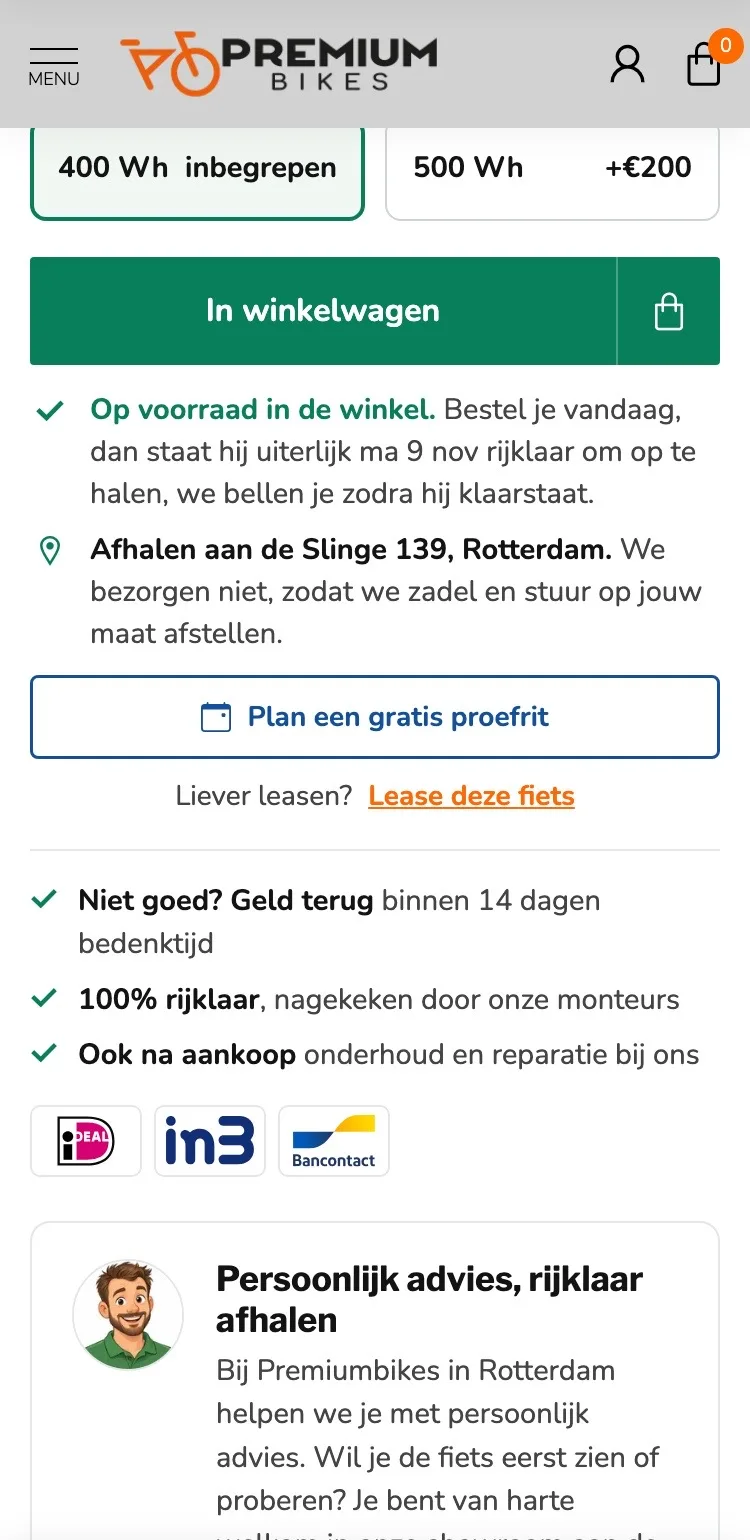
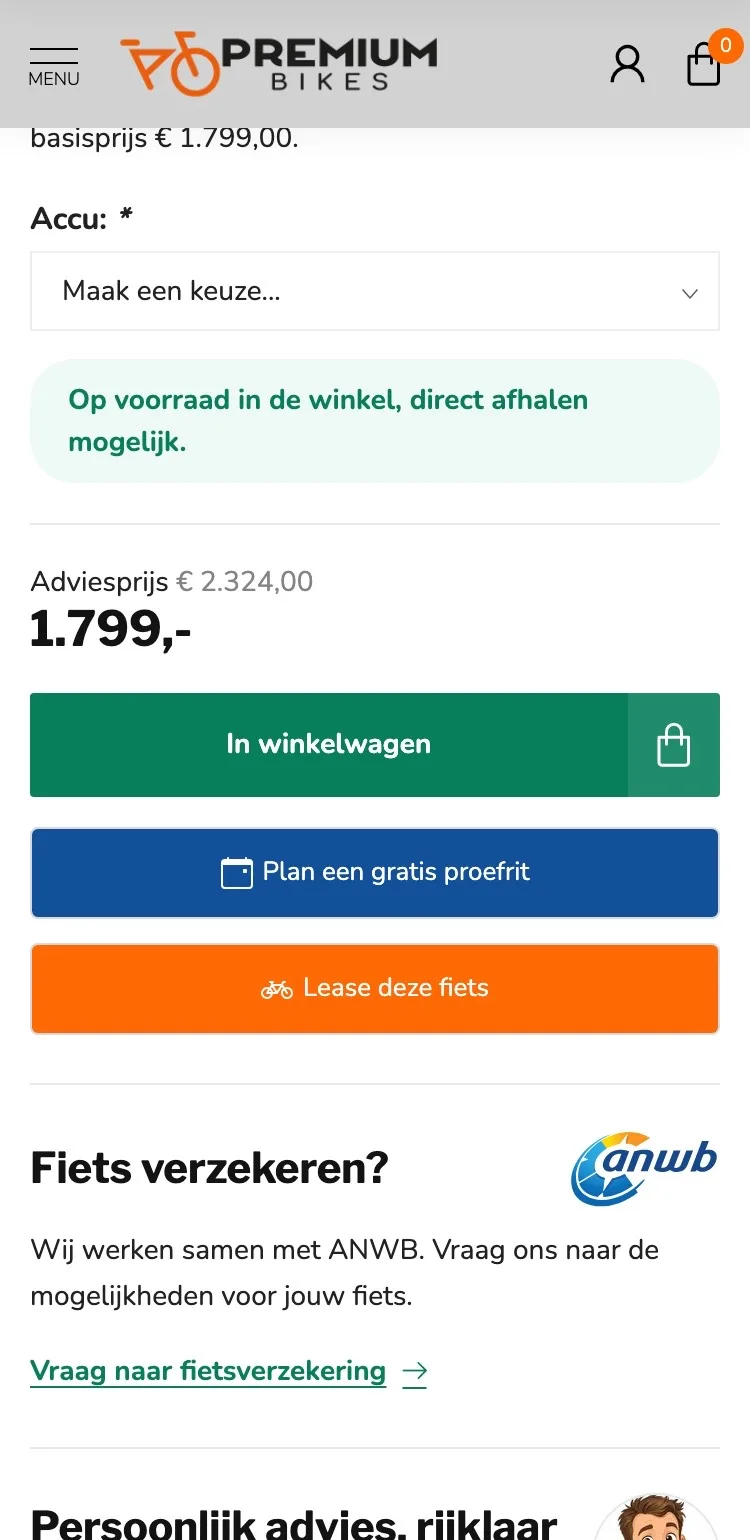
Around the button.
When your bike is ready, and how you pick it up.
- 01The day it’s ready‘Direct afhalen mogelijk’ (Pick up right away) didn’t say when. Now you see on which day your bike is ready to ride.
- 02Battery without a dropdownYou first had to open ‘Maak een keuze…’ (Make a choice…). Now you tap 400 or 500 Wh, right above the button.
- 03Test ride as a second buttonThree big buttons stacked on top of each other. Now there’s one main button, with the test ride below it and leasing as a link.
Reviews.
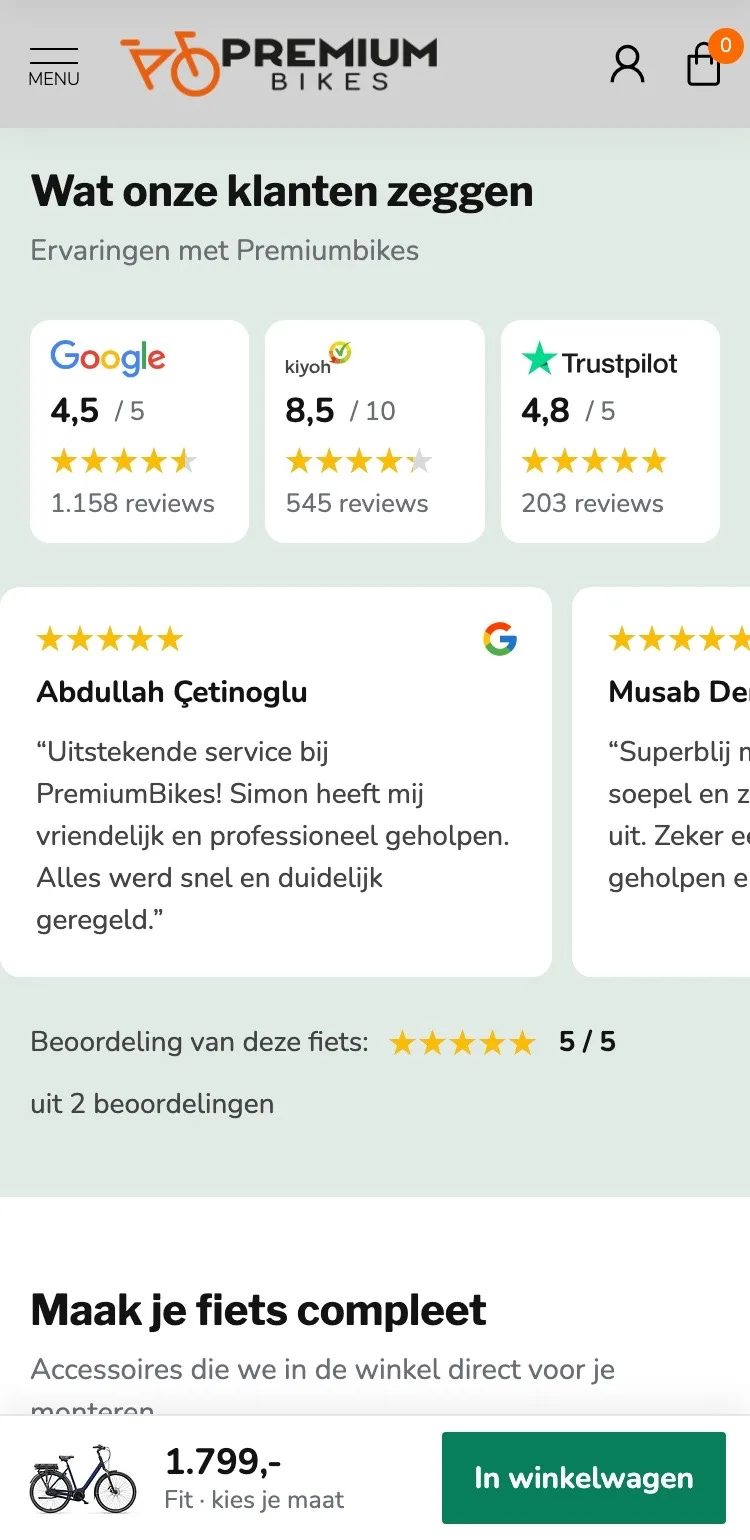
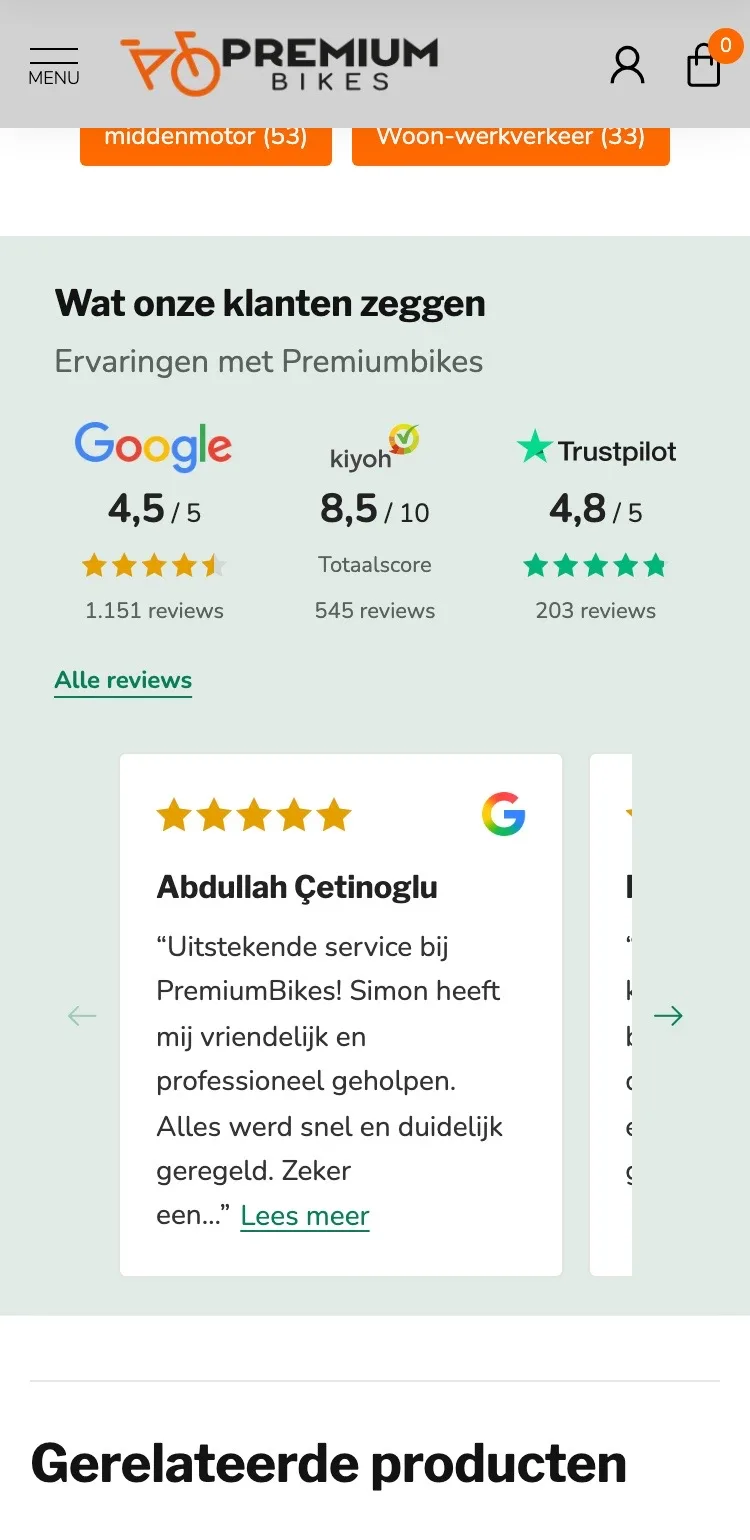
Your customers’ experiences right after the button.
- 01Reviews much higherThe customer reviews only came after the description, FAQ and tags. Now they follow right after the buy box.
- 02Full reviews you can readEvery review stopped with ‘Lees meer’ (Read more). Now you read the short reviews in full.
- 03This bike’s score tooBelow the reviews you now also see this bike’s 5/5, in the same block.
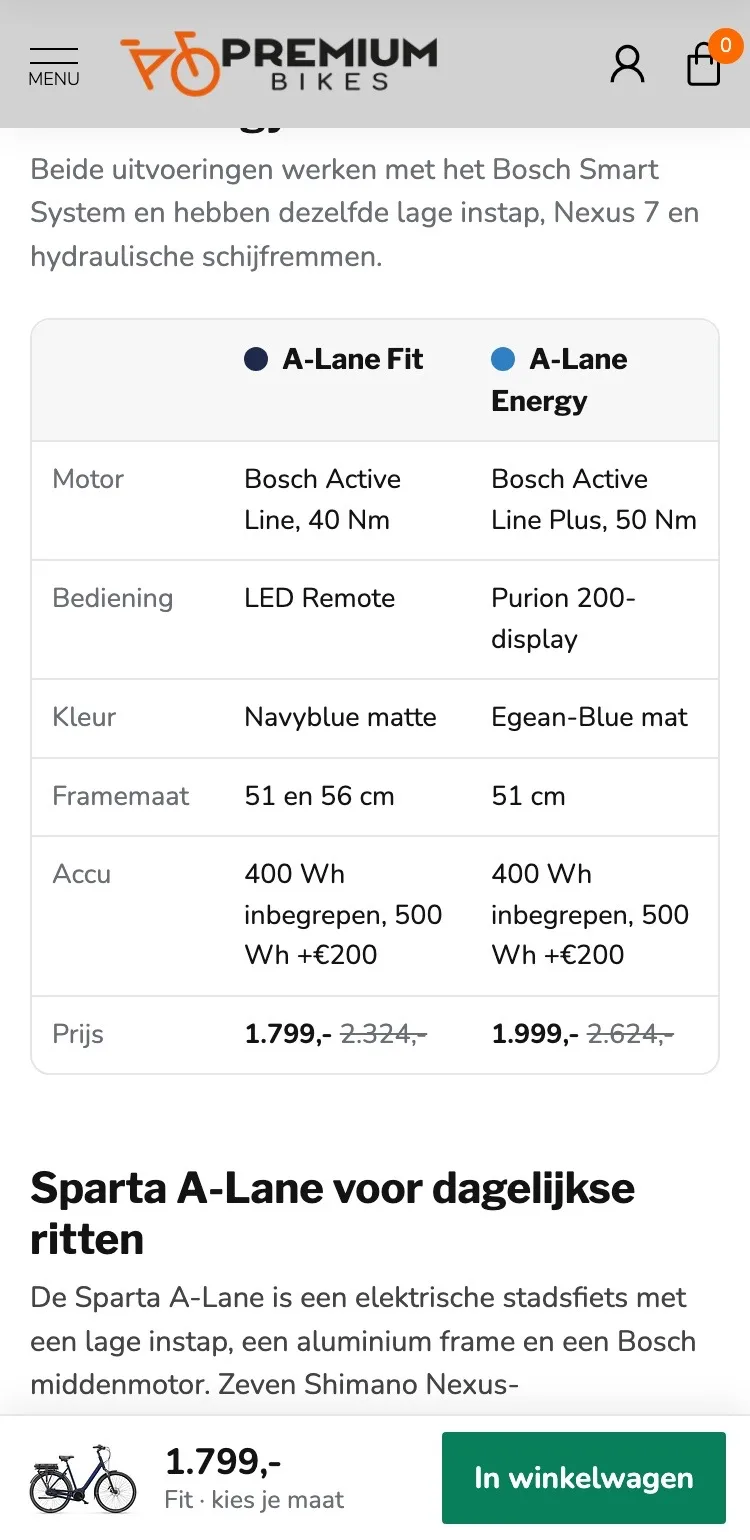
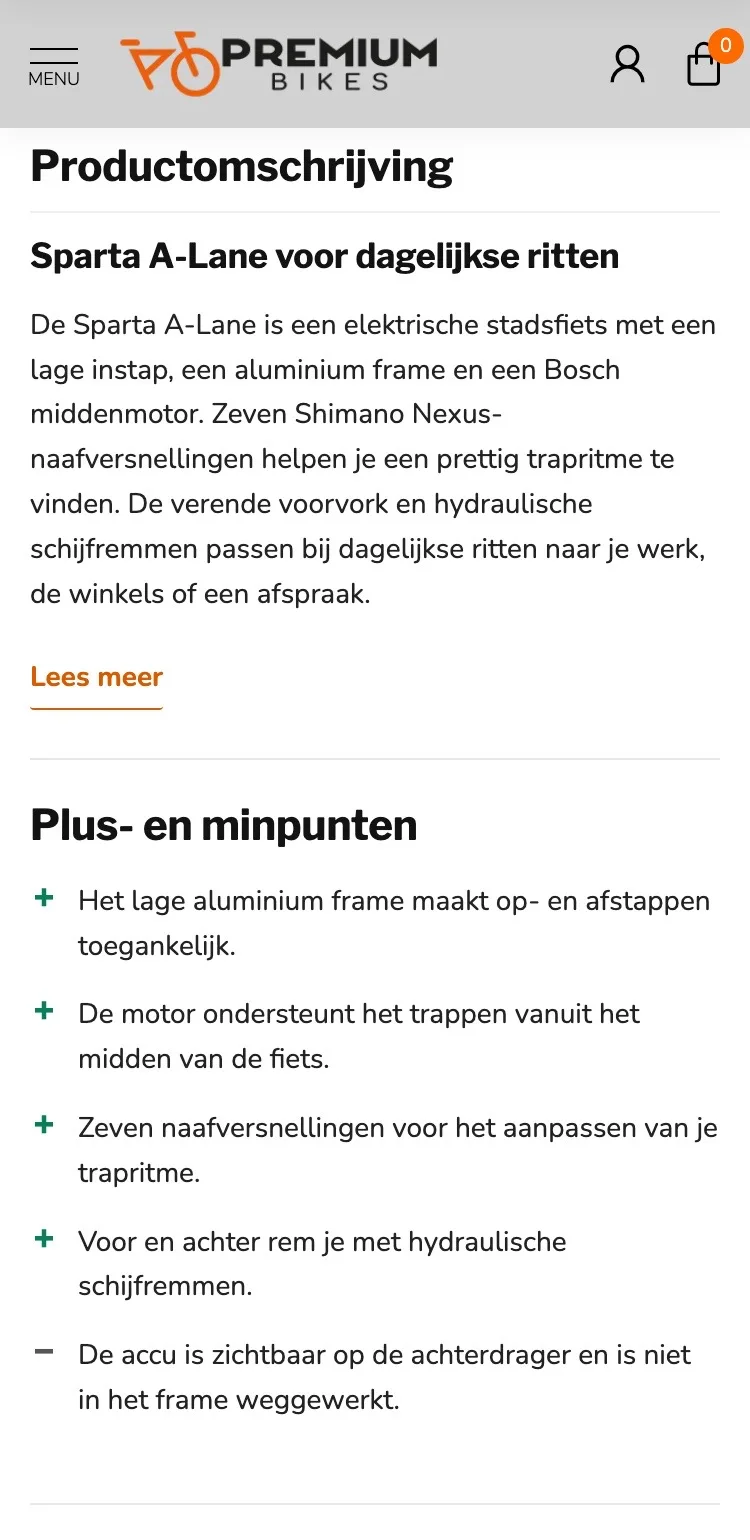
Fit or Energy?.
The difference between the versions in one table.
- 01Fit and Energy side by sideFirst you read a long description. Now you see motor, display, color, sizes and price side by side.
- 02Both prices in viewYou only saw the price of the Energy after clicking. Now both prices are in the table, with the recommended retail price.
- 03Clear headingsEach section has its own heading, so you quickly find what you’re looking for.
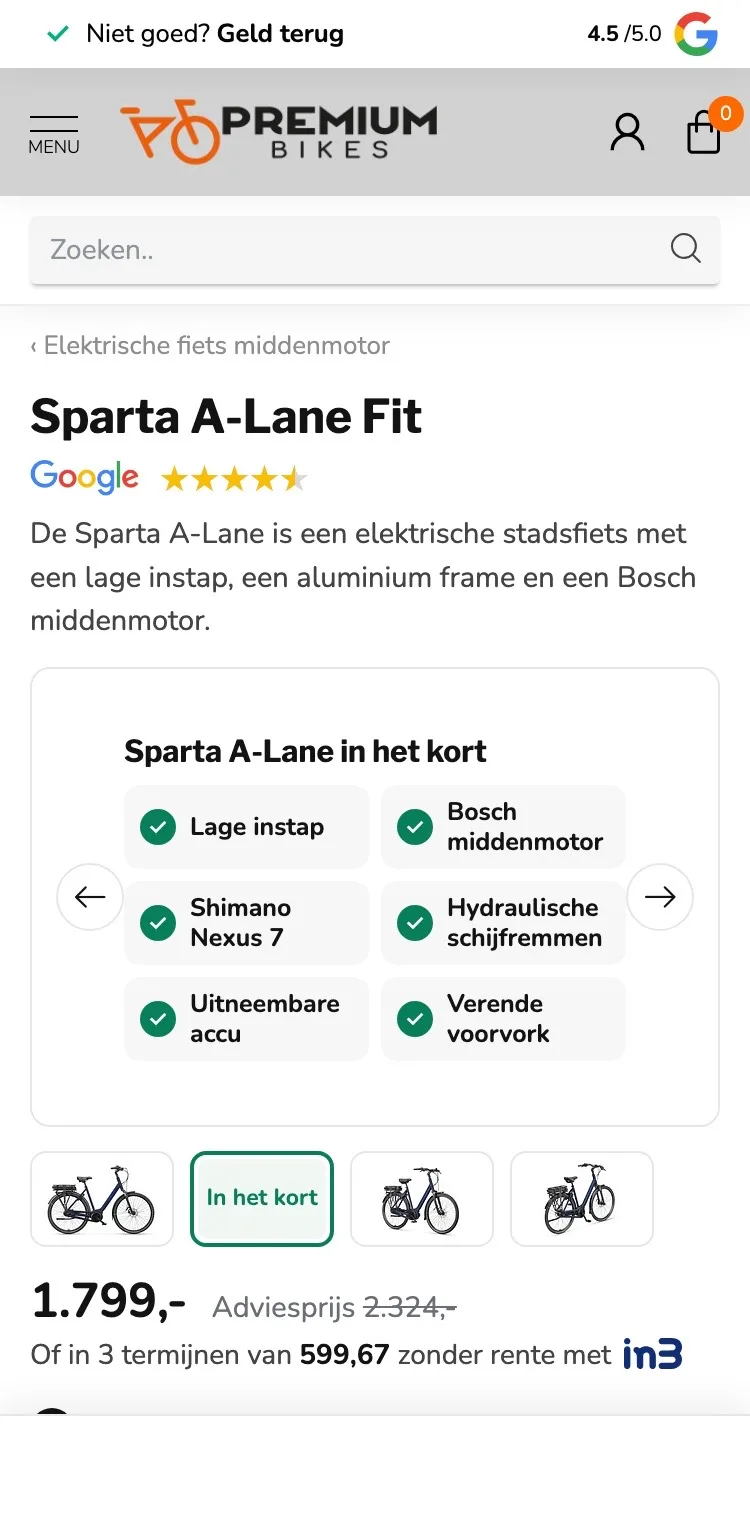
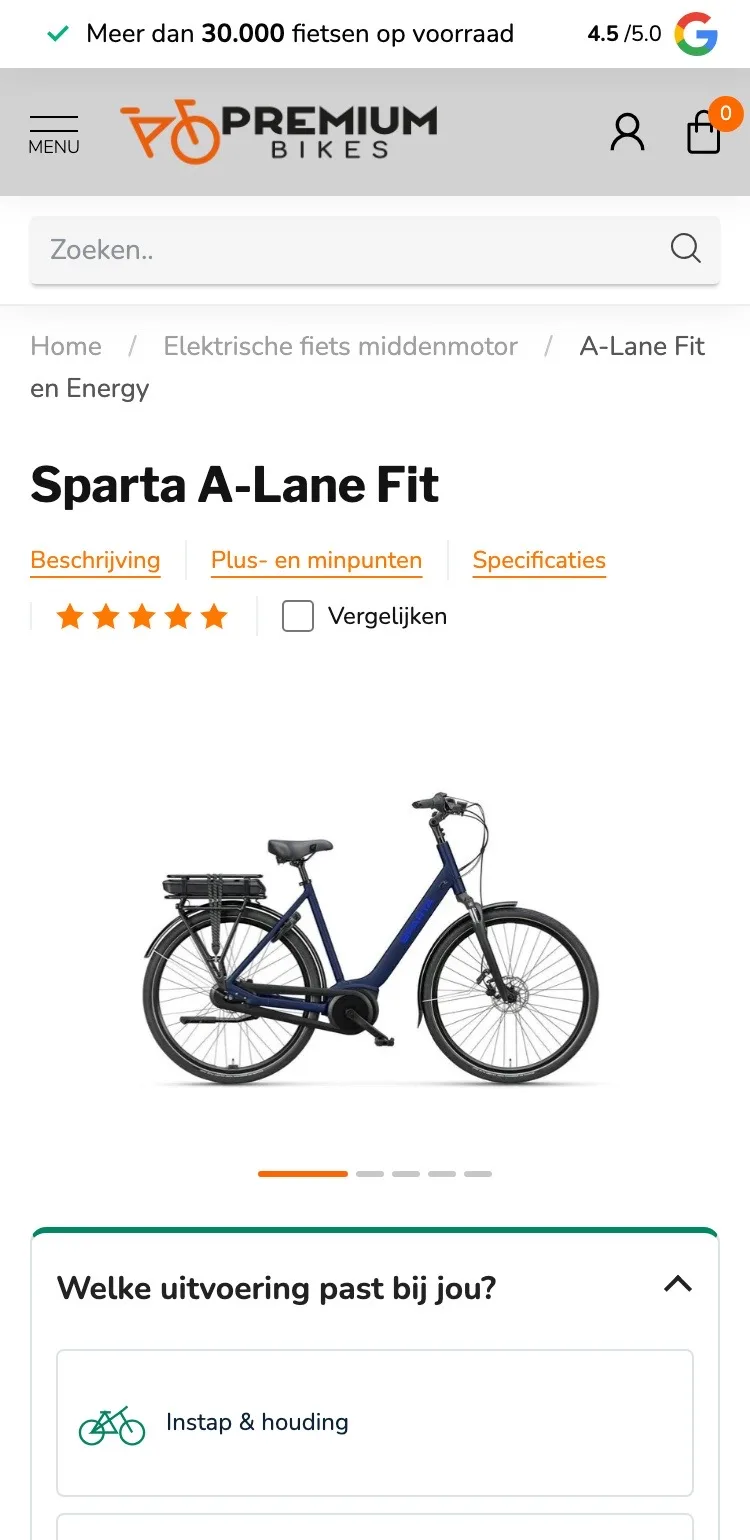
Photos.
The gallery also tells you what the bike can do.
- 01Small photos instead of dotsYou only saw dots below the photo. Now you see small photos and tap the right one directly.
- 02The essentials in one imageThe second image ‘In het kort’ (In short) immediately shows the step-through, motor, gears, brakes and battery.
- 03Arrows and a counterYou could only swipe, without seeing how many photos there are. Now you see arrows and a counter.
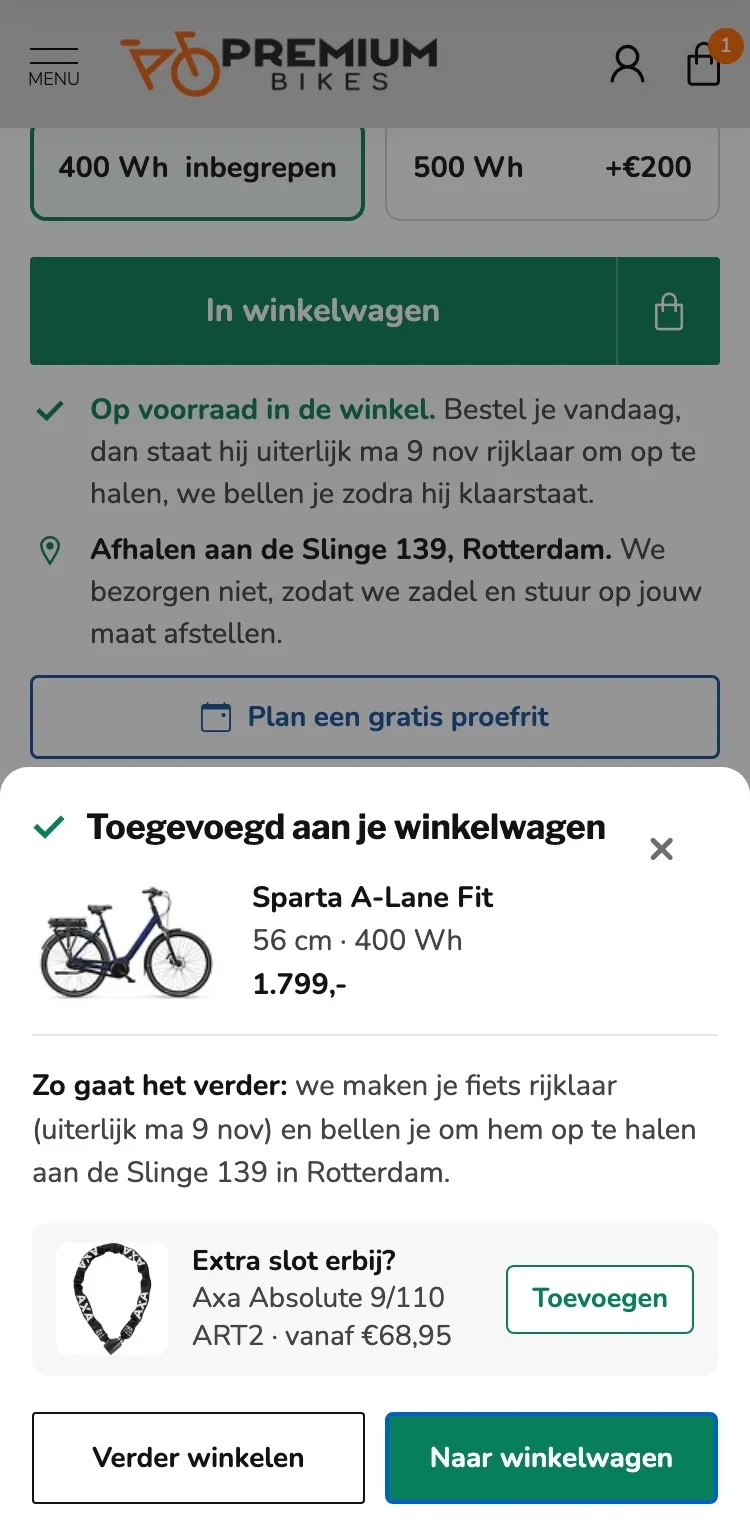
After adding to cart.
You know right away what happens next.
- 01Confirmation with your choiceAfter adding, you immediately see which version, size and battery are in your cart.
- 02When you pick it upThe confirmation names the day it’s ready to ride and says we’ll call you then.
- 03Add an extra lockAdd a chain lock with one tap. We fit it straight away in the store.
Click through the new design yourself.
The design works like a real page, on desktop and on your phone. You just can’t place an order with it yet.
From design to more orders.
This is how we take the new design live, and measure what it delivers.
- 01Only the pageHeader, menu, USP bar and footer stay exactly as they are now. We only change the content of the product page.
- 02Test first, then go liveWe run the new design in an A/B test next to the current page and measure orders per visitor.
- 03Your own strengthsYour own photos, visuals, reviews and tone of voice: it all came from you already, just in a better place.
This design live
on your online store?
With the AI Design Agent, we put this design on your existing online store, and then keep improving it every month with CRO. Built by our specialists. Without spending thousands of euros a month on it.
- No rebuild, no migration
- Your back office stays the way you know it
- Only goes live after your approval
- 01Ongoing development for a fixed monthly feeNo separate quotes for every change. If we see an opportunity or you have an idea, we build it.
- 02CRO improvements, implemented right awayWe analyze your online store and implement improvements in days instead of months.
- 03Safe, and you see what changesWe build and test everything in a preview first. It only goes live after your approval, and every version is saved.