 Google Ads
 Meta Ads
 Email marketing
 Lightspeed eCom Toolkit
 Shopify Toolkit
Your product page,
redesigned.
A new design for the product page of dewoonwinkel.nl: Light en Living Oval Lampshade BRESKA in Pearl White. Below you see every screen before and after, and what we improved.
- 16 before-and-afters
- 18 improvements
- dewoonwinkel.nl
Every screen, compared.
Pick a screen and drag across the screenshot. On the left you see the current page of dewoonwinkel.nl, on the right the new design.
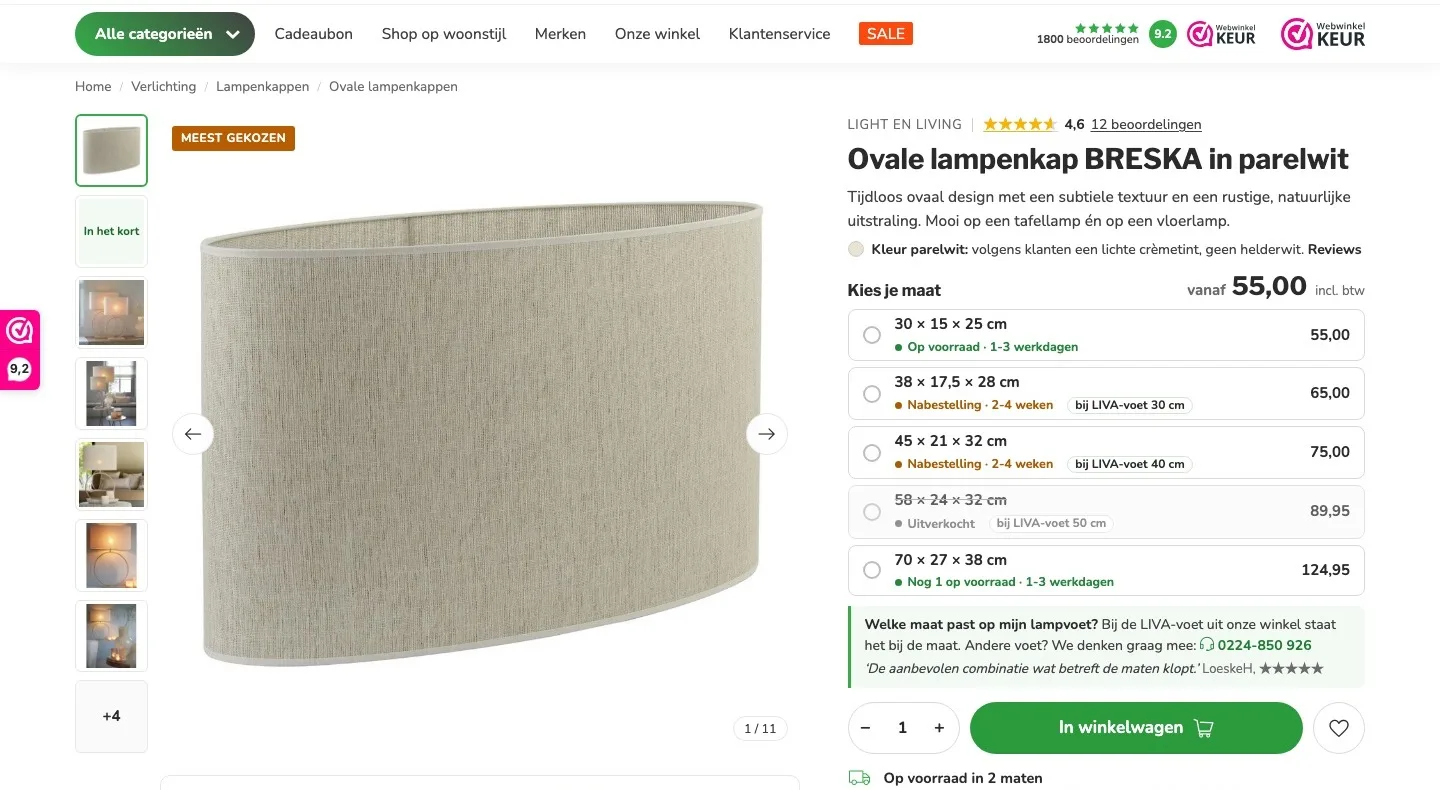
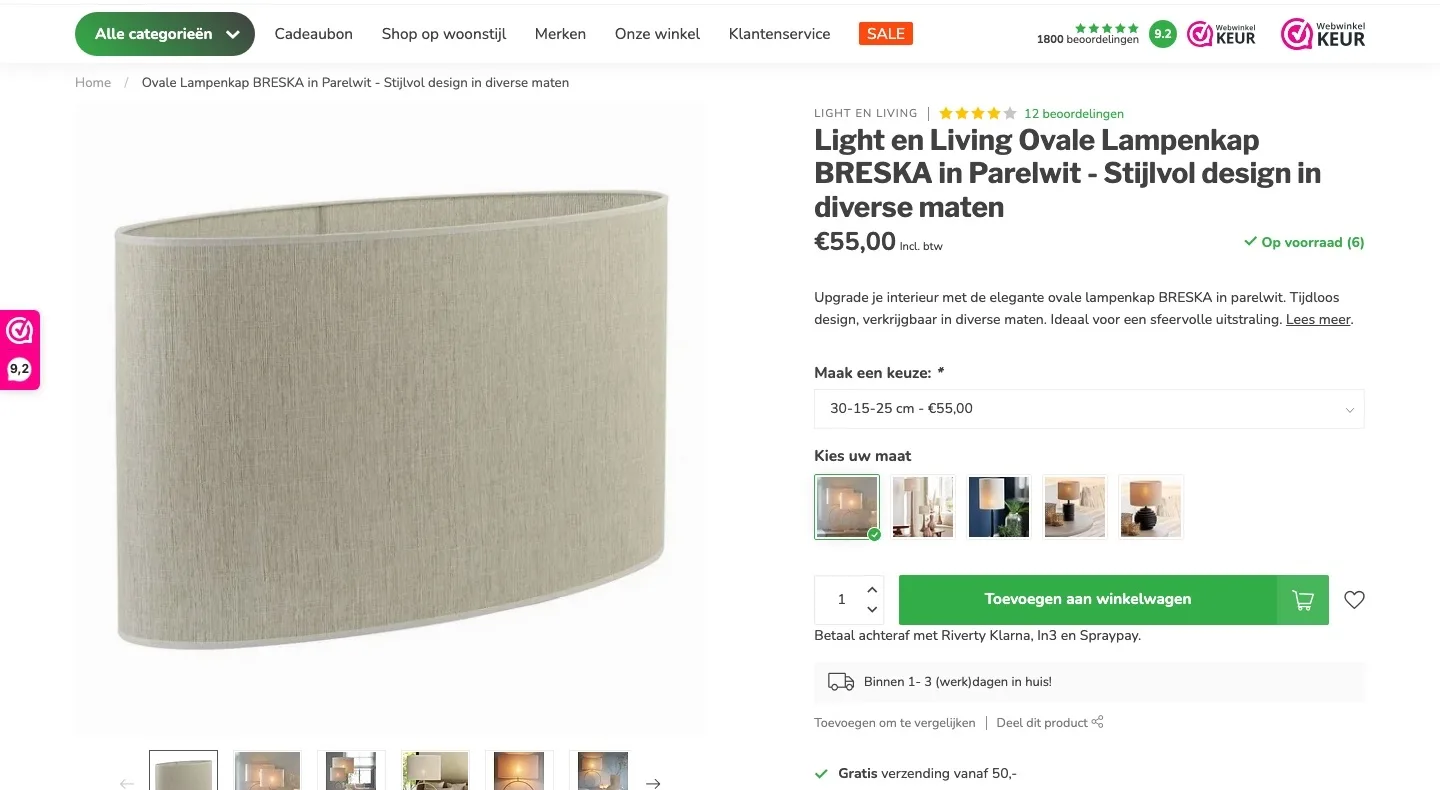
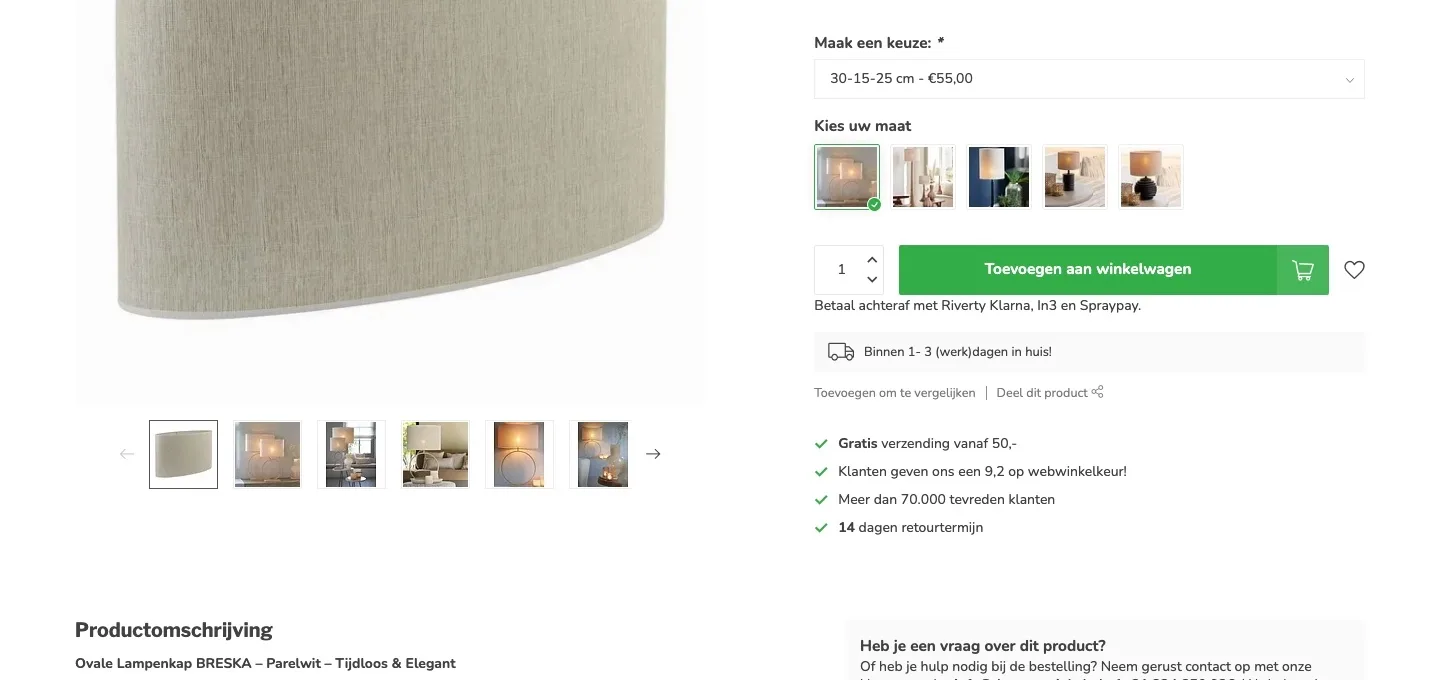
Choosing a size.
Every size with price, stock and delivery time at a glance.
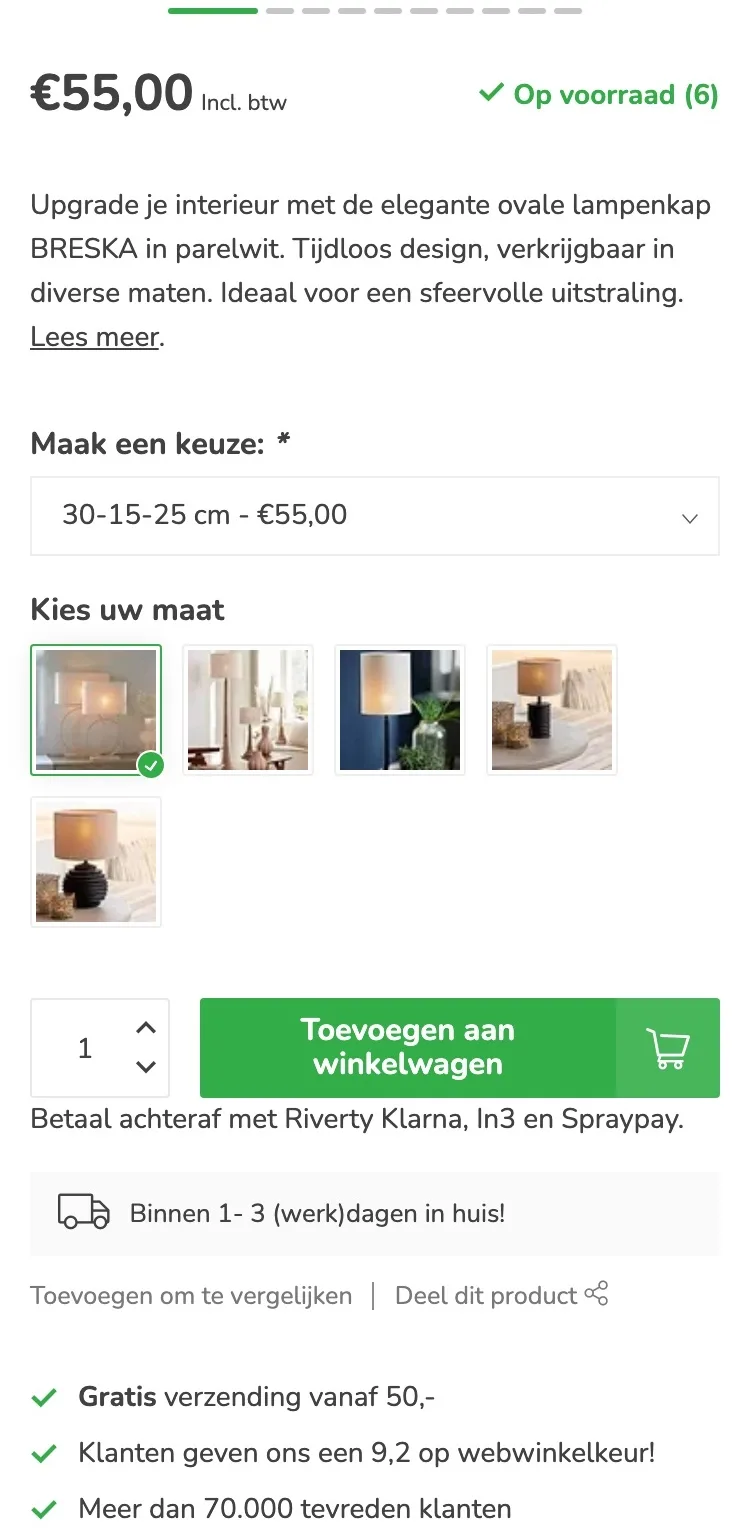
- 01No more dropdownThe five sizes were in a dropdown. You only saw stock and delivery time for the selected size. Now it’s shown for every size, so you choose right the first time.
- 02Which shade on which baseWhich size goes with the LIVA base was only mentioned on the base. Now it’s with the size itself, with a customer confirming it’s right.
- 03Color named honestlyFour reviewers found the color different from pearl white. Now it says by the title that, according to customers, pearl white is a light cream tint, so nobody expects a bright white shade and sends it back.
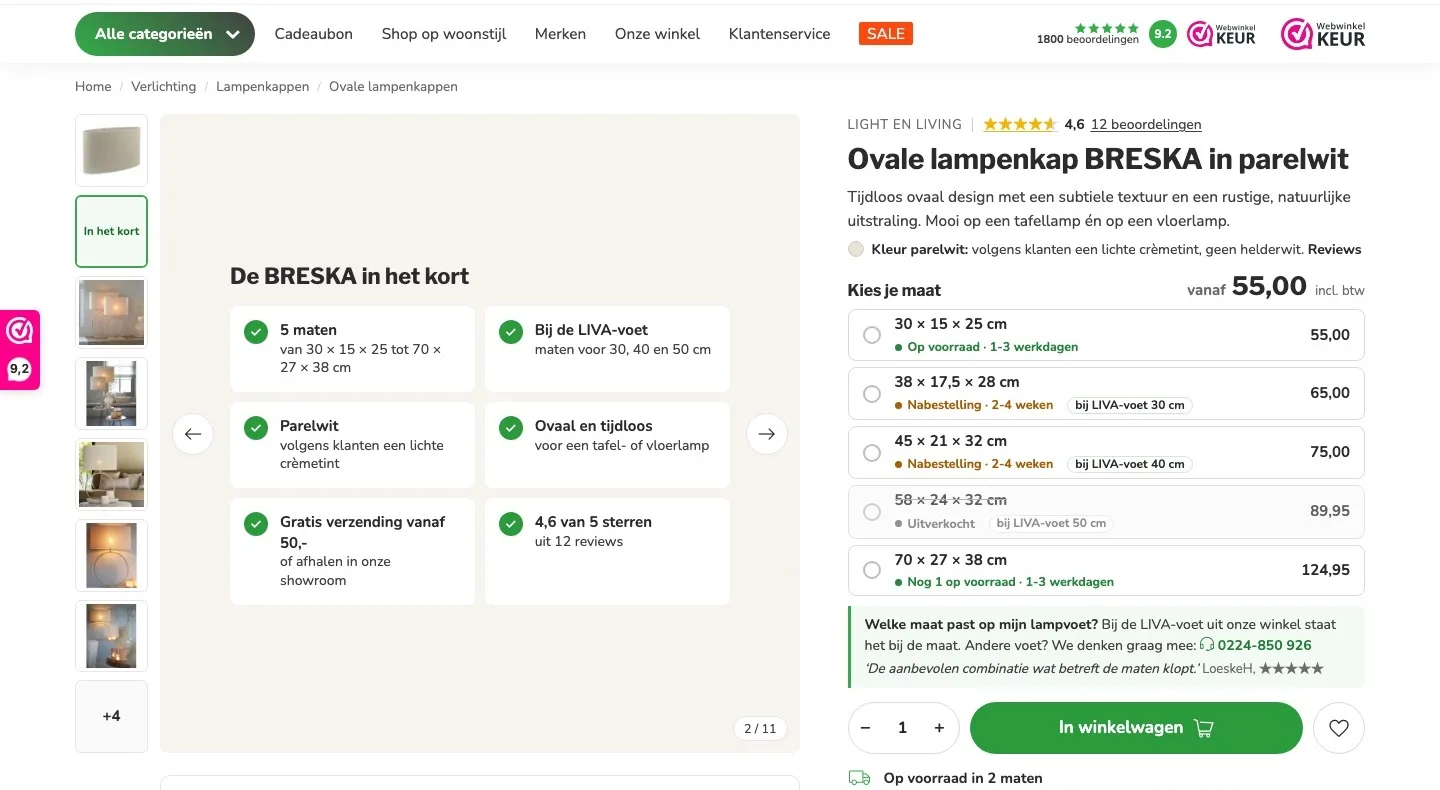
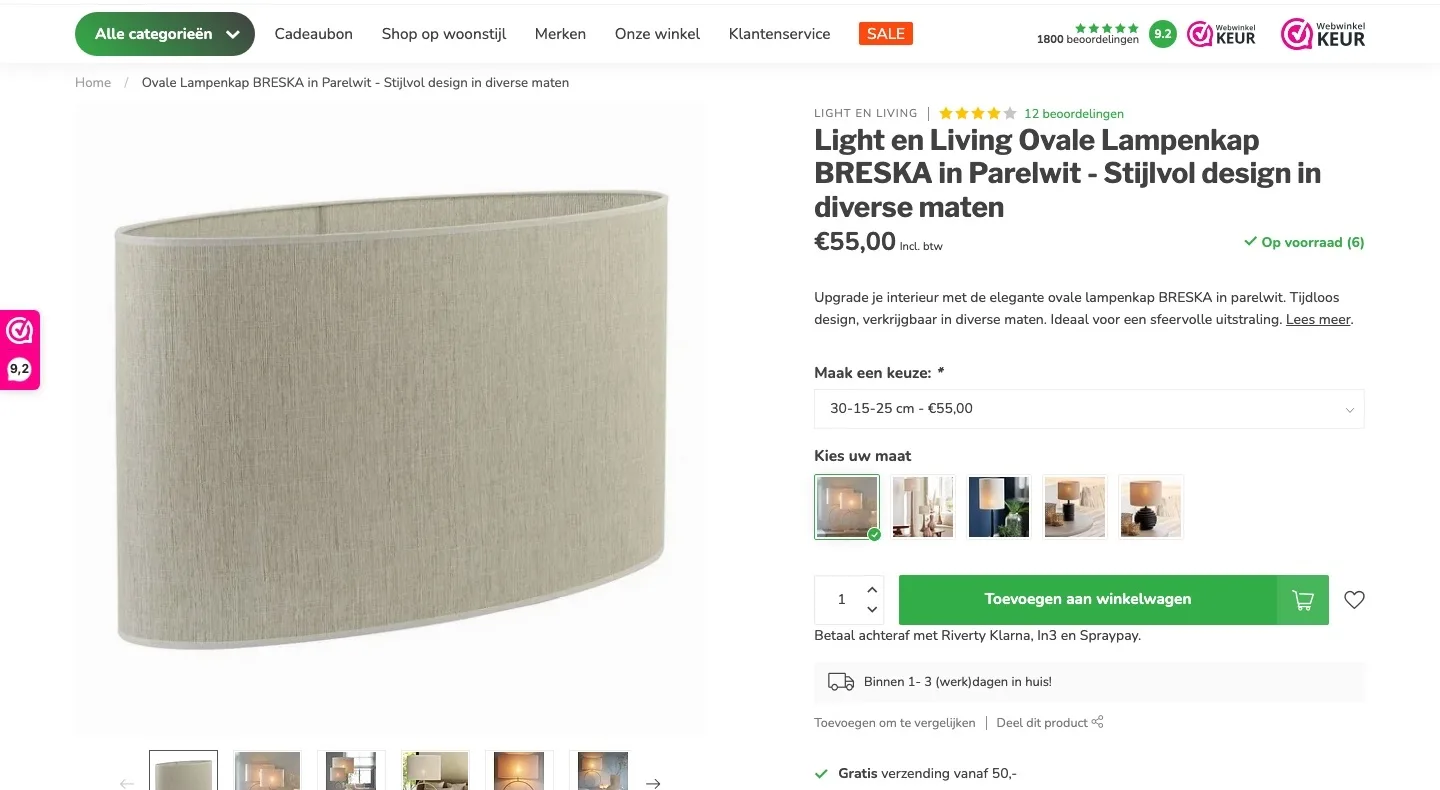
Photos.
All photos in view, with the essentials in one tile.
- 01The shade in briefSizes, color and delivery were spread across the page, and the matching base wasn’t there. Now one image in the gallery sums it up.
- 02All photos next to the photoYou could see six thumbnails at once, with arrows for the rest. Now they sit next to the large photo, no searching.
- 03Photos stay intactThe product photos are unchanged, each in its own frame. ‘In het kort’ (In brief) is a separate image in the gallery.
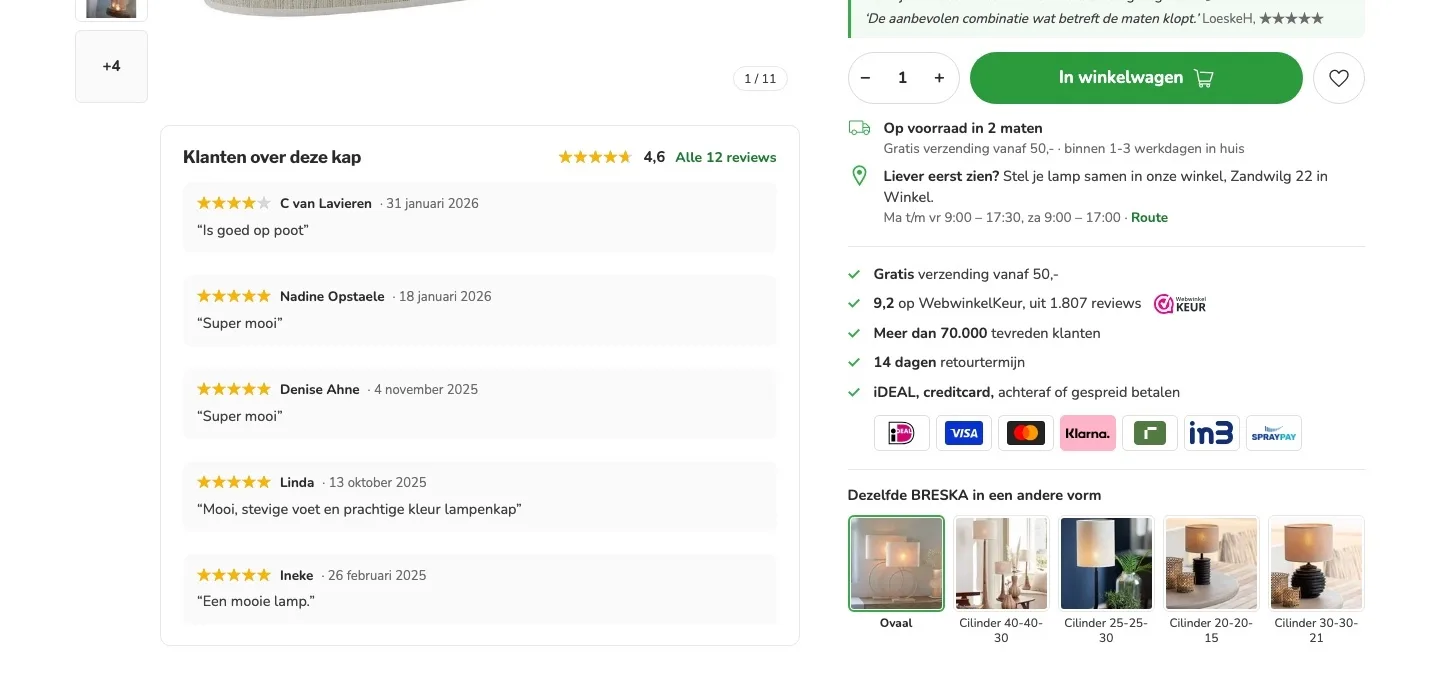
Around the button.
Delivery, store and payment right below the button.
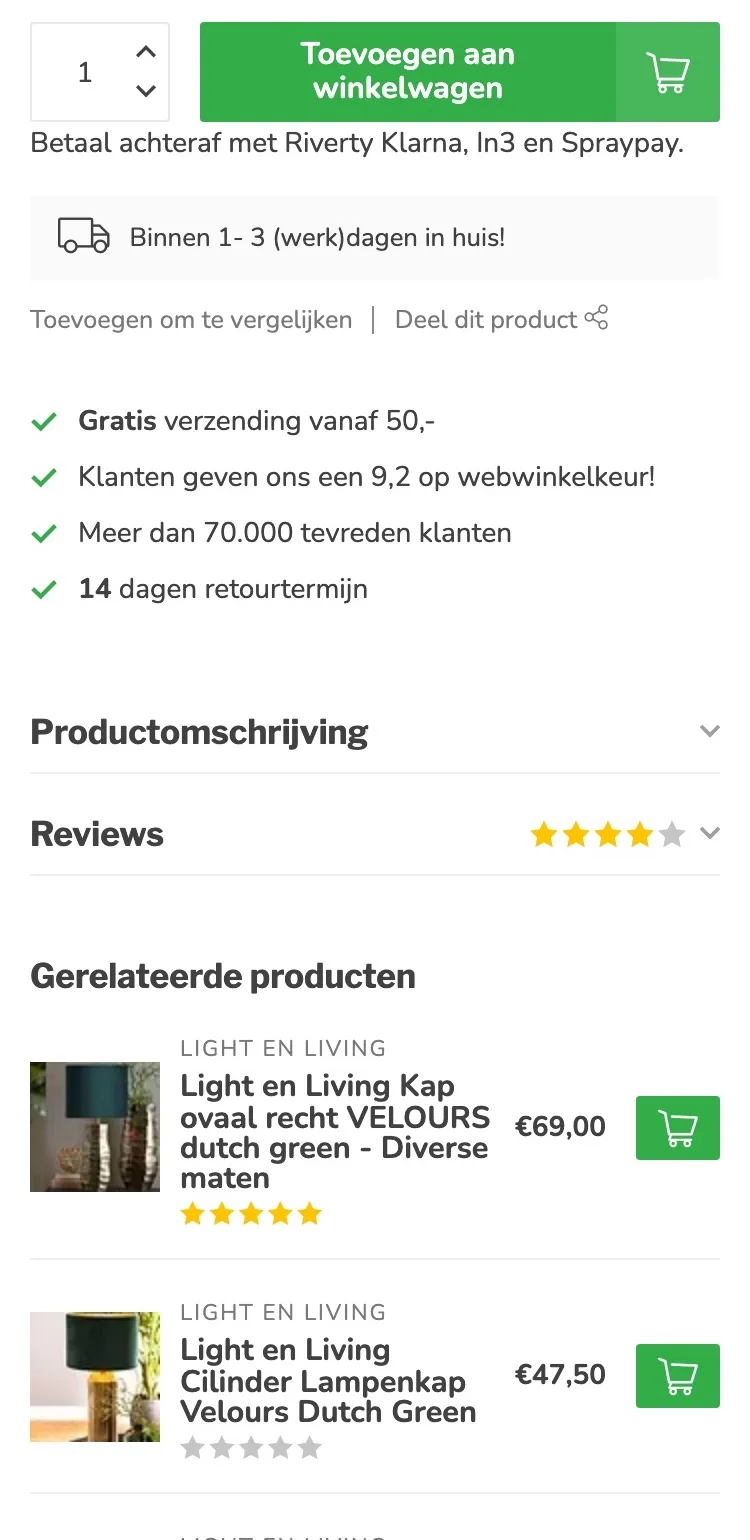
- 01When it arrives‘Binnen 1-3 werkdagen in huis’ (Delivered within 1-3 business days) applied to the standard size. Now it says below the button how many sizes are in stock, and that ‘binnen 1-3 werkdagen’ (within 1-3 business days) applies to those sizes.
- 02See it in the store firstOnly the menu (‘Onze winkel’ (Our store)) and the footer mentioned the store. Now it says below the button that you can put together your lamp in Winkel, with the address and directions.
- 03Payment logosBy the button there was only a line of text about paying later. Now iDEAL, Visa, Mastercard, Klarna, Riverty, in3 and Spraypay are shown as logos.
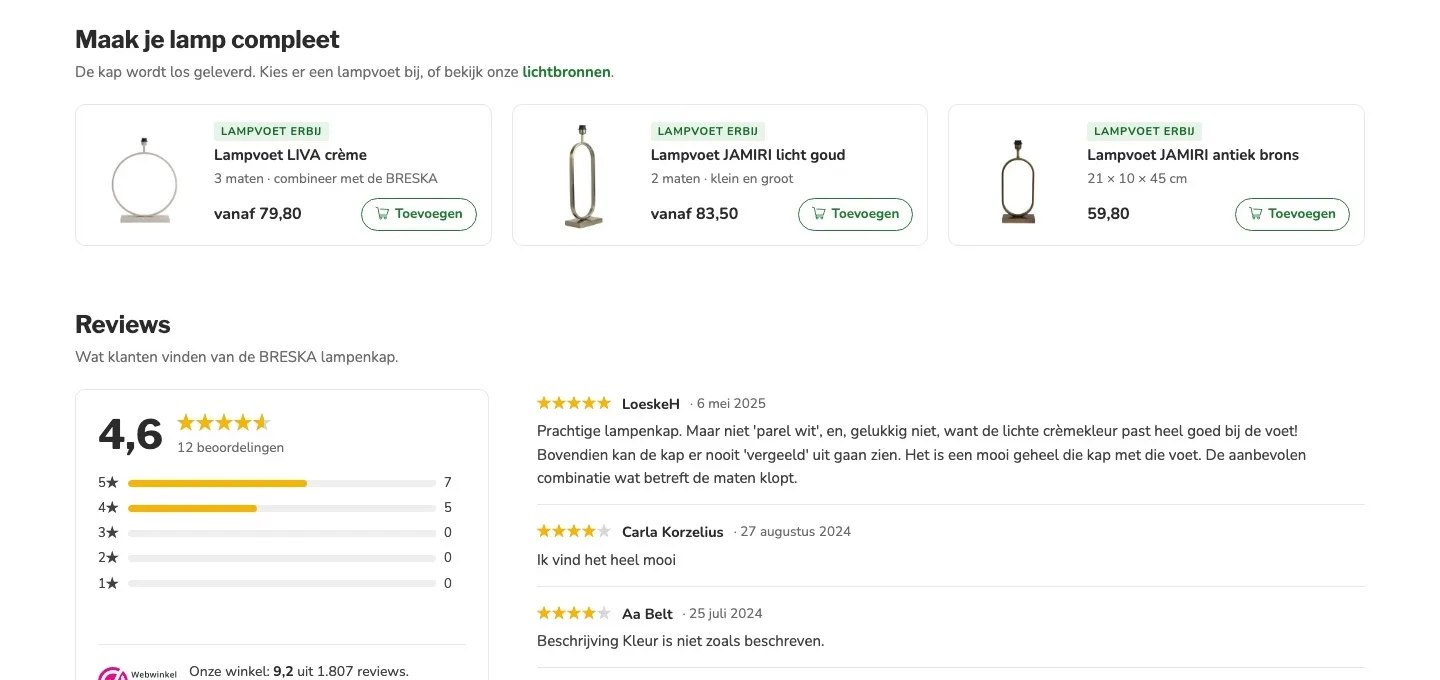
Complete your lamp.
The shade comes on its own, so the base belongs with it.
- 01Add a lamp baseLamp bases were small in a side list. Now they sit right below the buy box, with the label ‘Lampvoet erbij’ (Add a lamp base).
- 02Size and price includedThe LIVA base shows that there are three sizes to combine with the BRESKA, priced from €79.80. Choose a shade, and the base adjusts to match.
- 03Add with one clickEach base has its own add button, without leaving the page.
Reviews.
Customer experiences higher up and easier to scan.
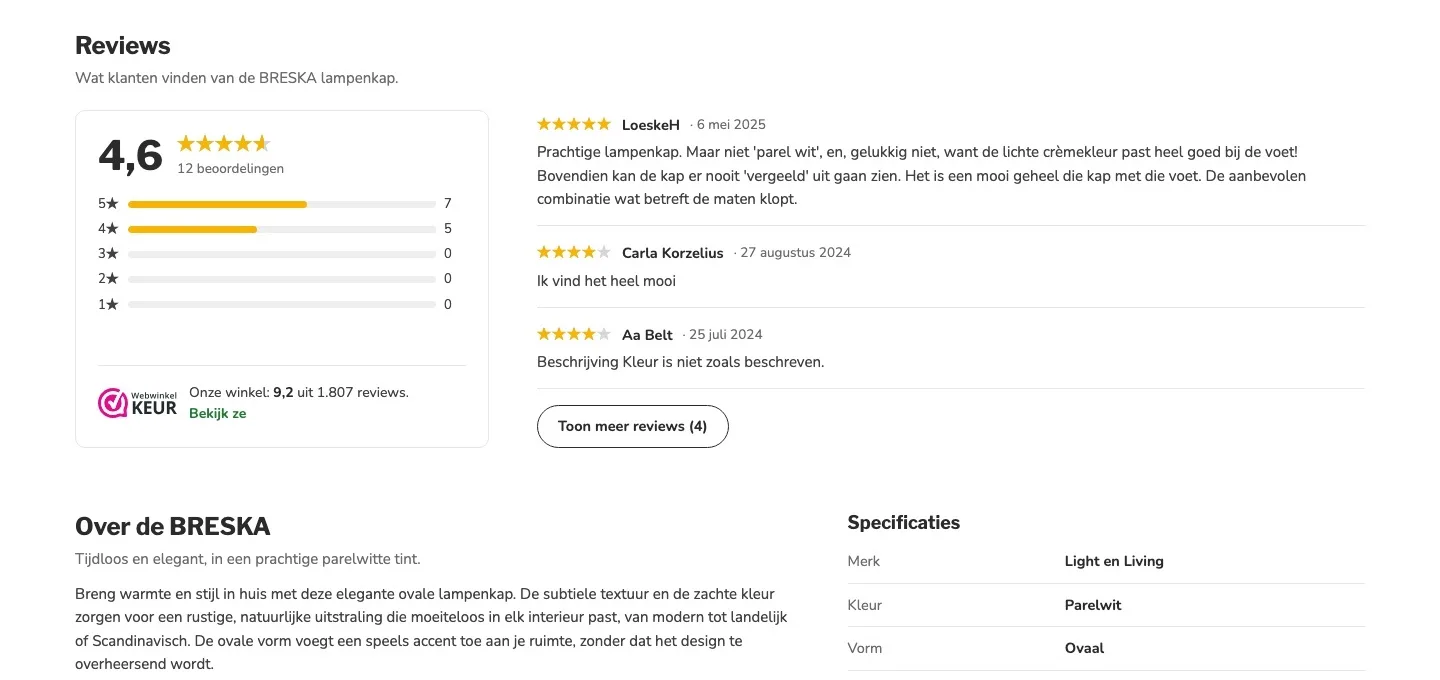
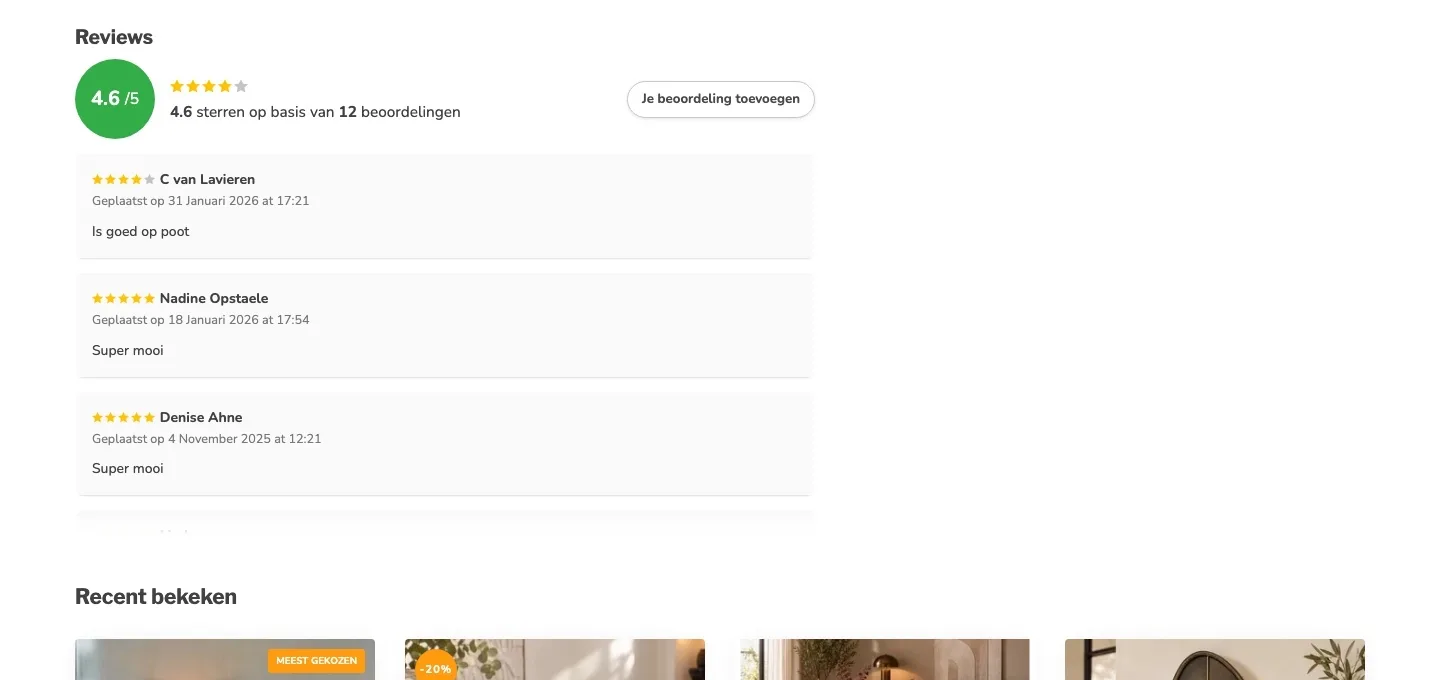
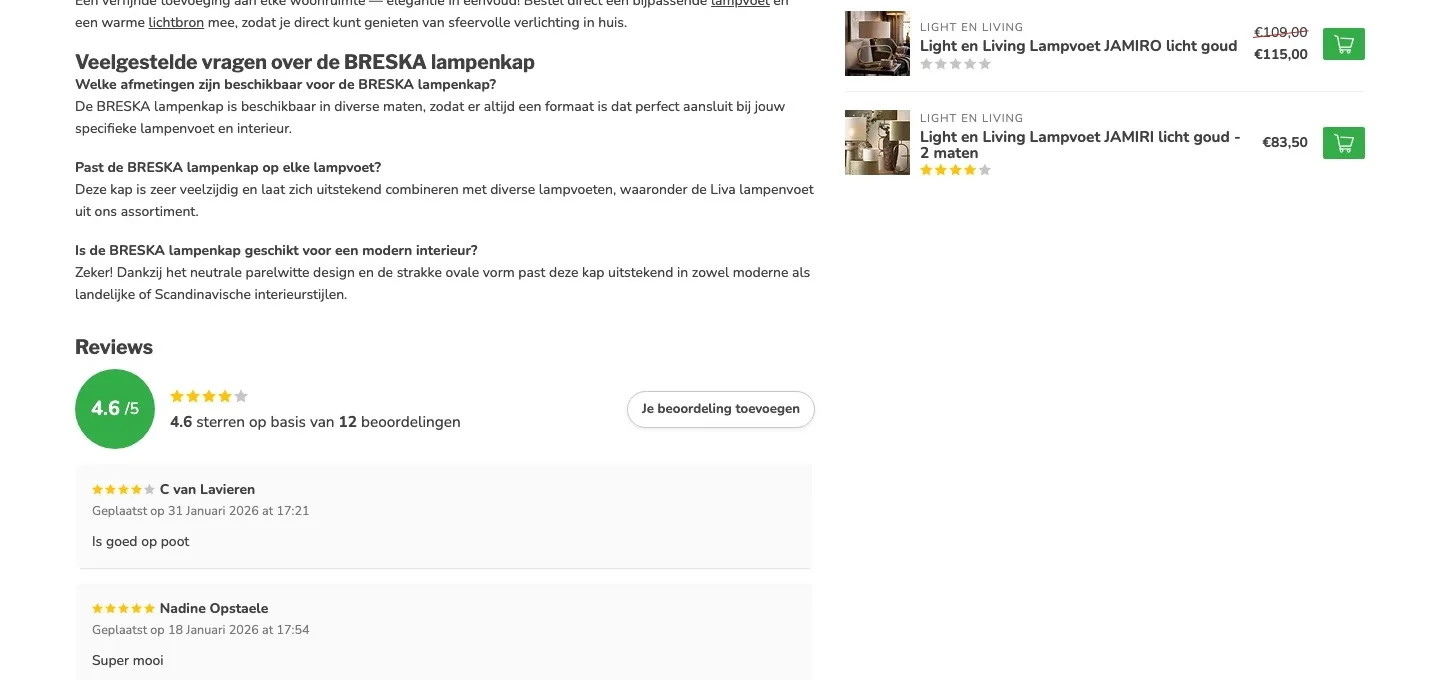
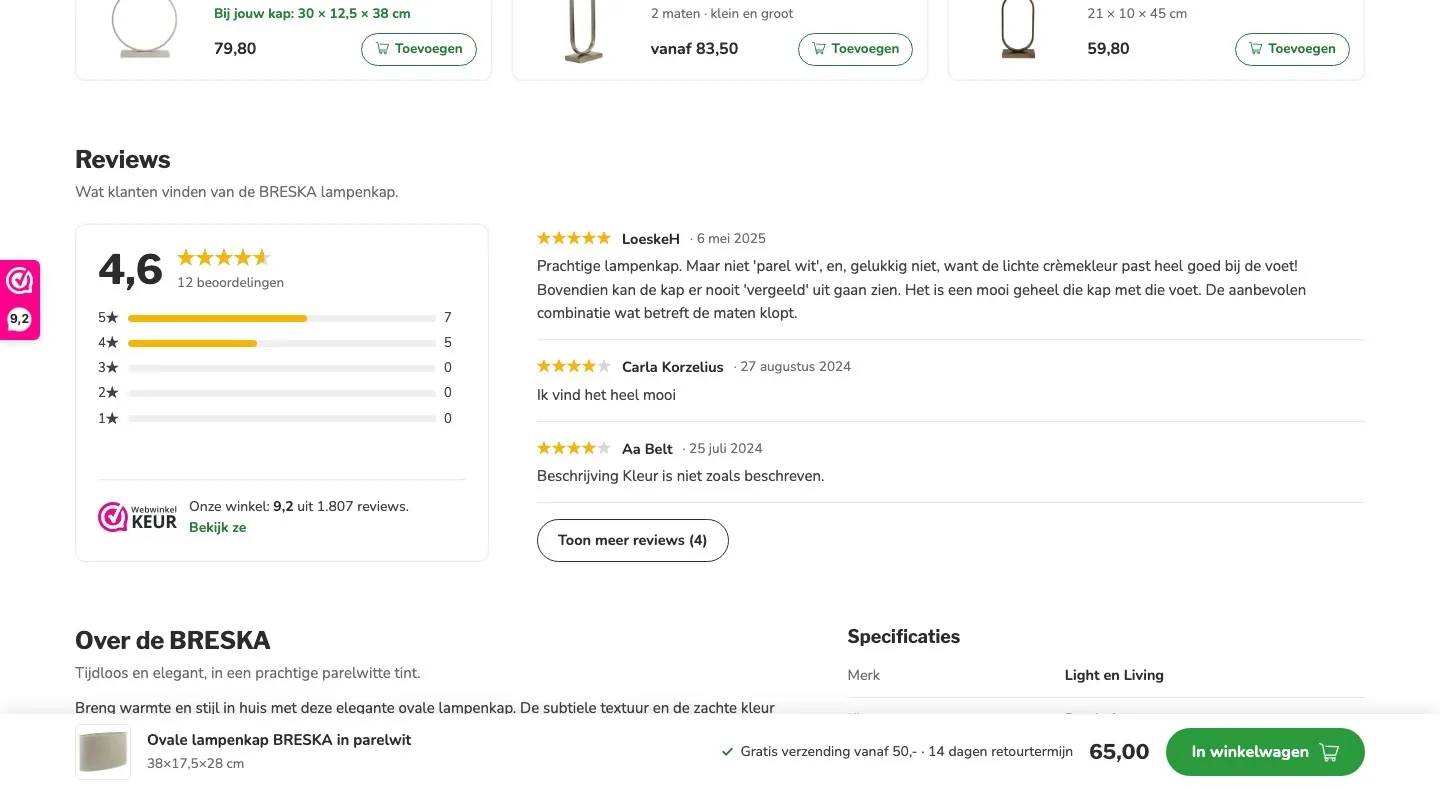
- 01Score with breakdownThere were twelve separate review cards stacked on top of each other. Now you first see 4.6 and the breakdown, then three reviews and a button for more.
- 02The store score tooNext to the product reviews is now the store’s WebwinkelKeur rating: 9.2 from 1,807 reviews.
- 03Honest about the colorReviews saying pearl white is more like cream are simply included. That makes the score credible.
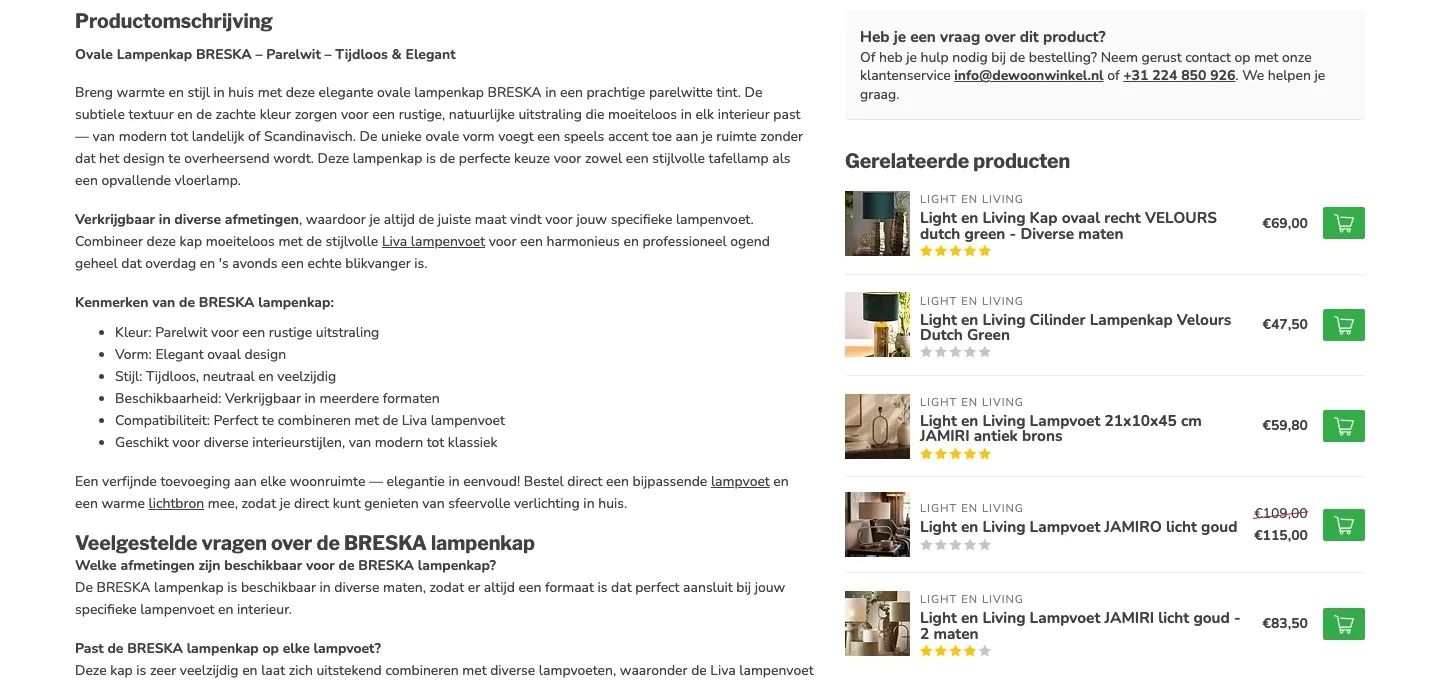
About the BRESKA.
Less reading, quicker to know what you’re buying.
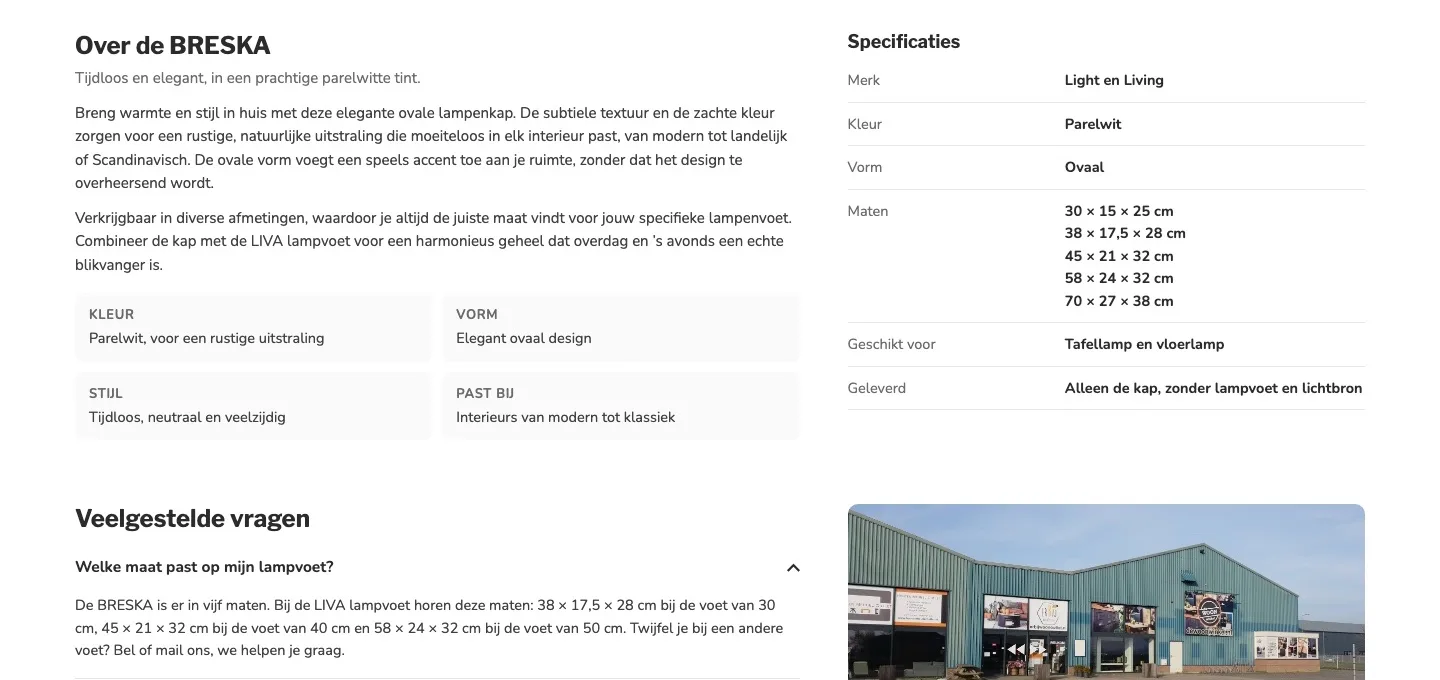
- 01Shorter descriptionA long text with a list below it. Now a short text and four cards with color, shape, style and what it goes with.
- 02Specifications in a tableThere was a list of features, without dimensions and without exactly what you get. Now it’s all in one table, including that the base and light source aren’t included.
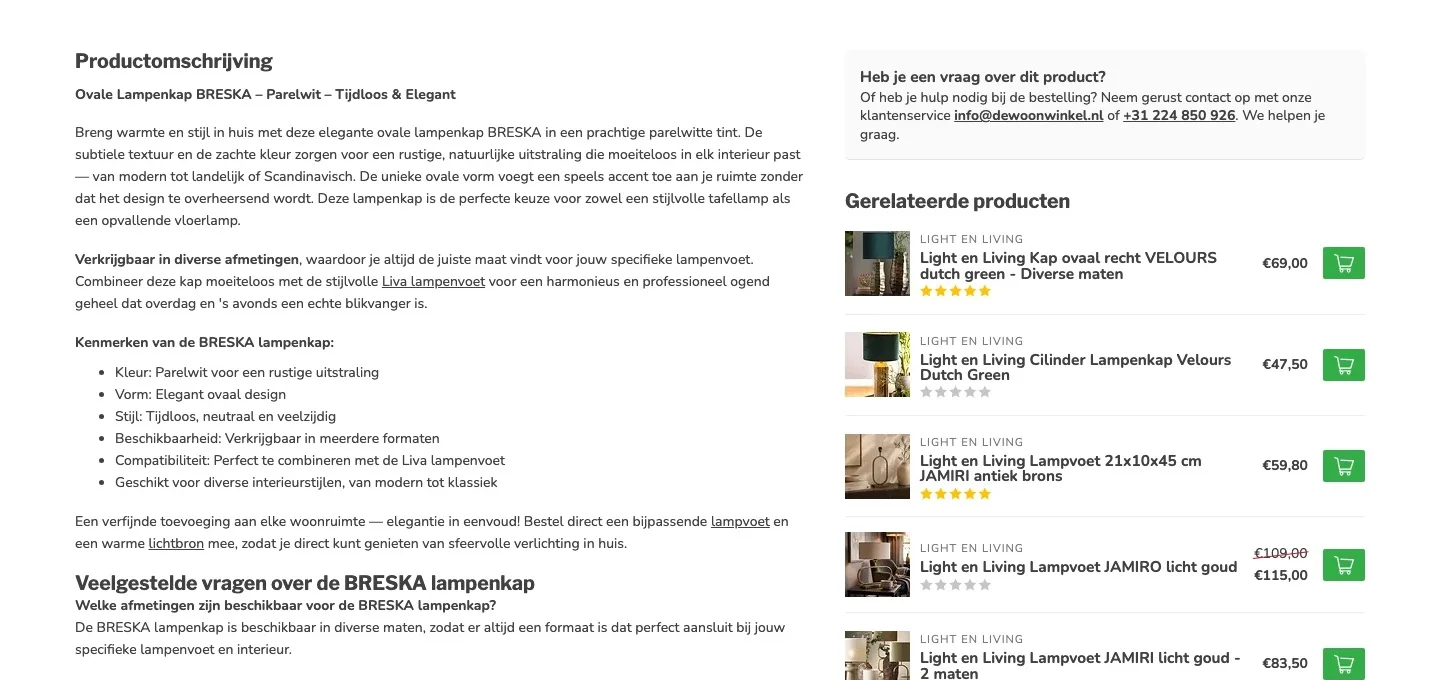
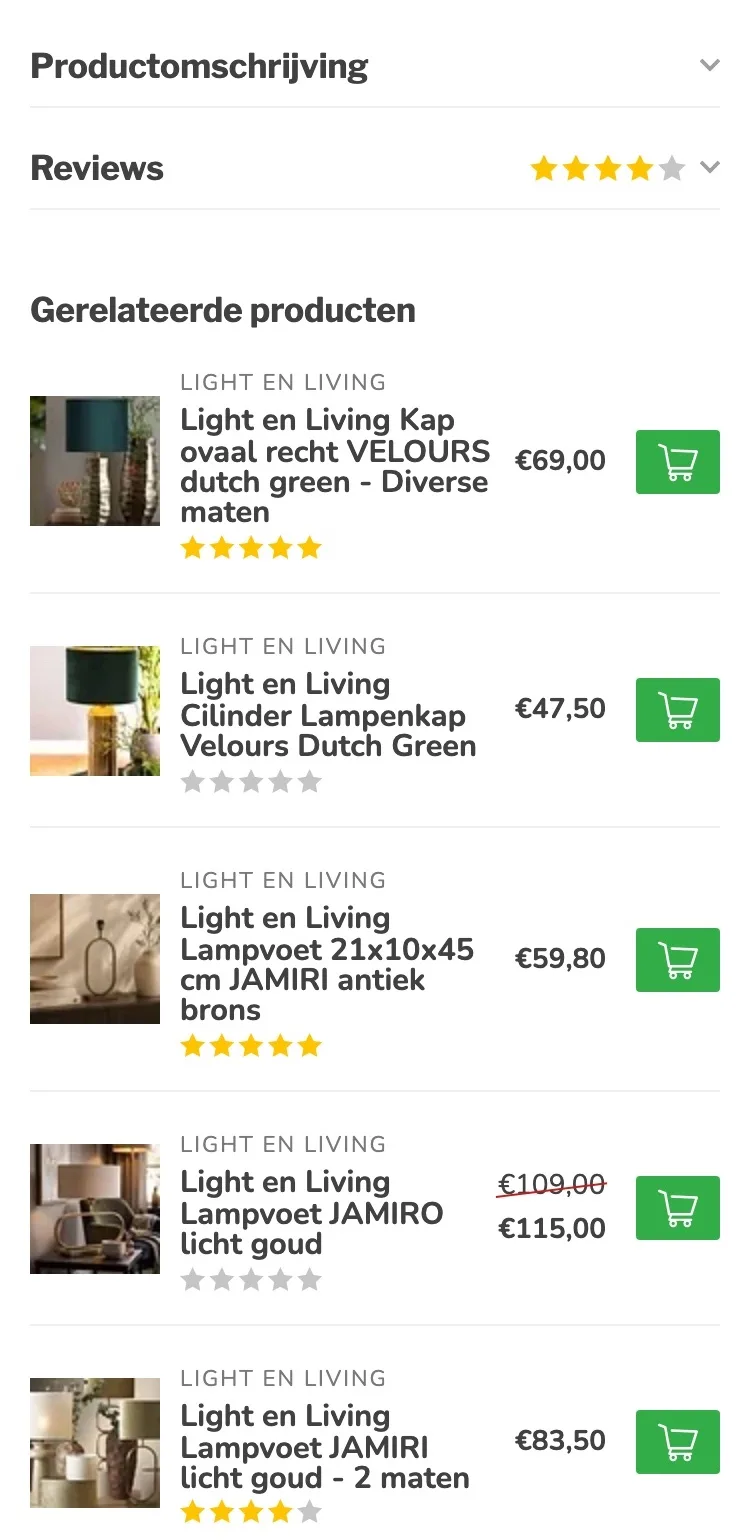
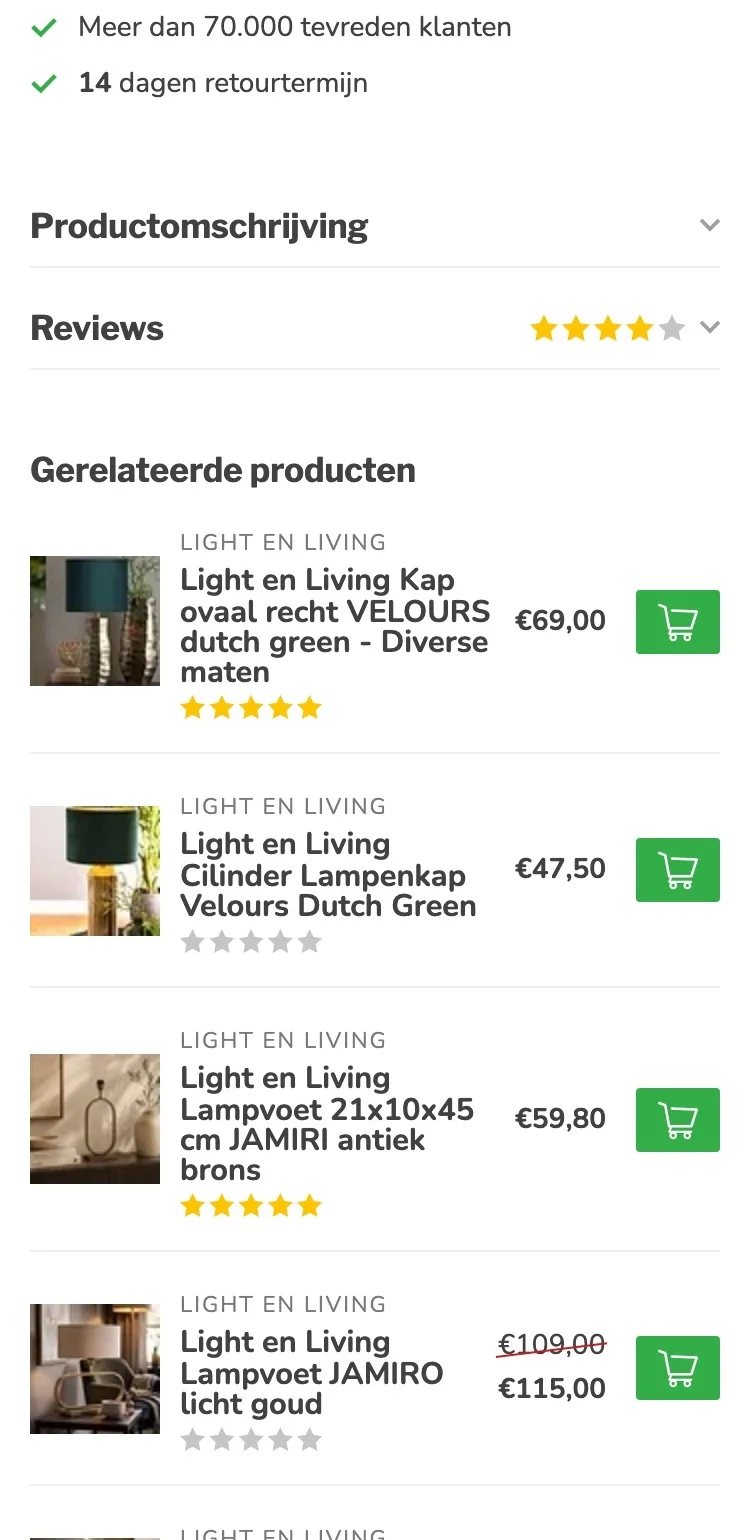
- 03Calmer layoutThe related products were next to the text. Now each block has its own place, which reads more calmly.
Questions and the store.
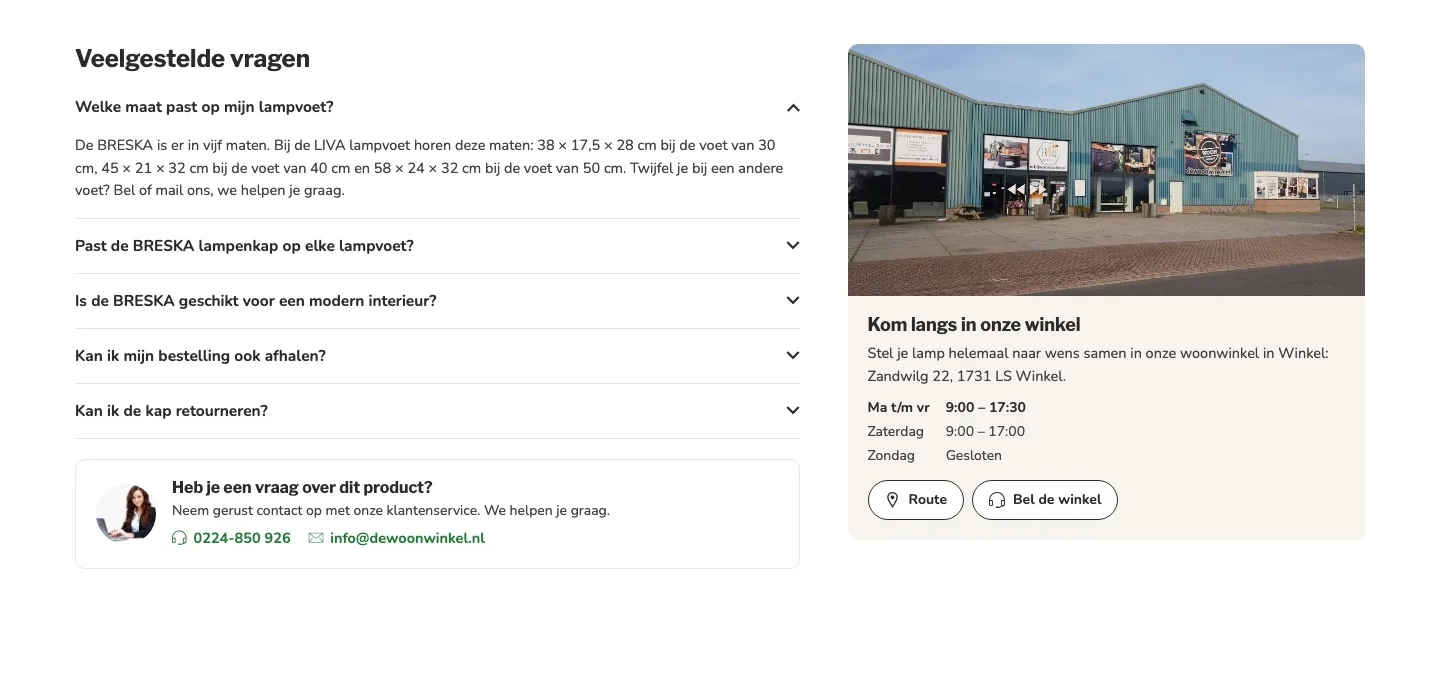
Answers at hand, and the store as a second route.
- 01Questions you click openThe three questions were plain text below the description. Now you click them open, with extra questions about size, pickup and returns.
- 02Come by in WinkelOnly the menu (‘Onze winkel’ (Our store)) and the footer mentioned the store. Now you see a photo, the address, the opening hours and a button for directions with the product.
- 03Call with one tapThe phone number was in a sentence. Now calling, emailing and directions are buttons that work right away.
While scrolling.
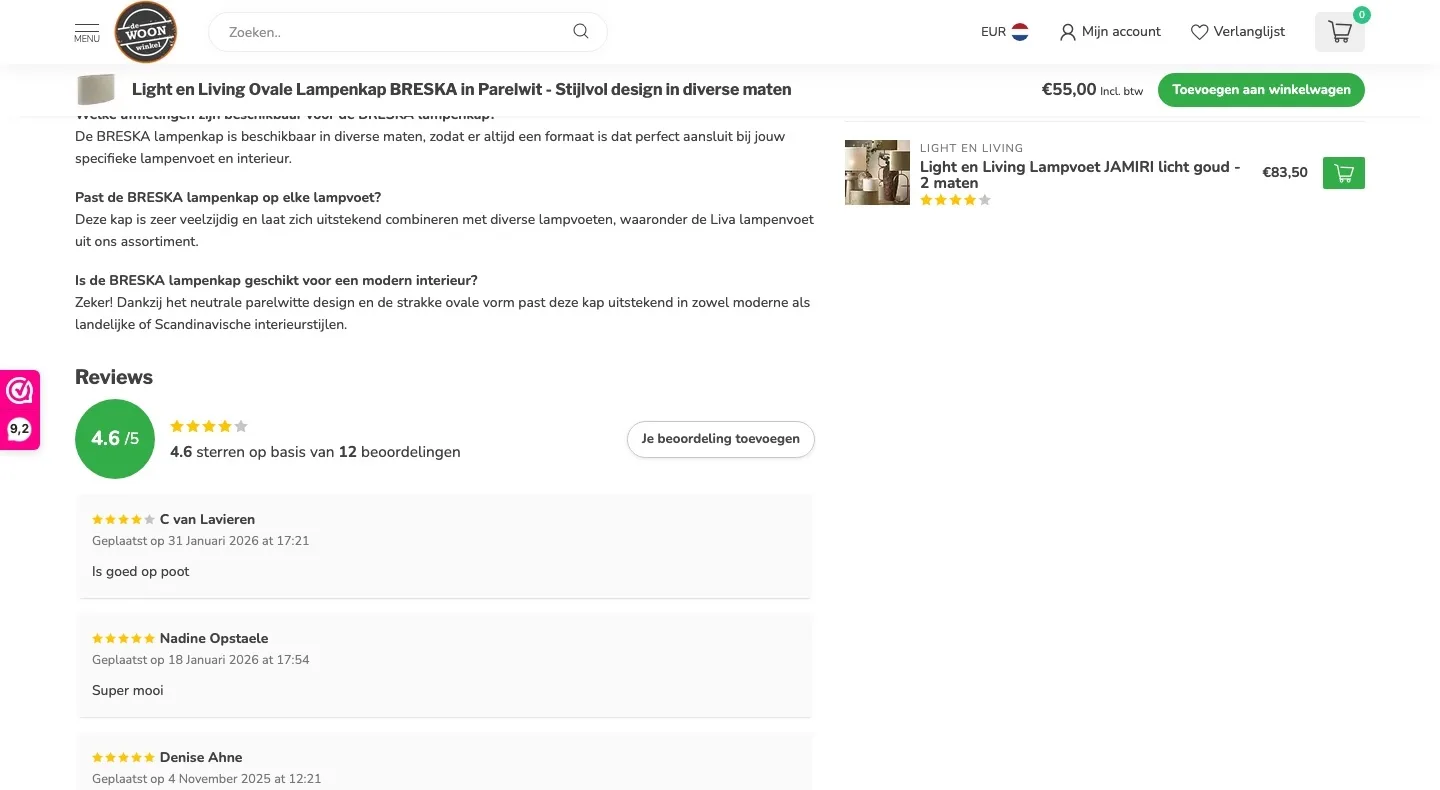
The bar while scrolling, now with your size.
- 01Your size in the barThe bar only showed the name of the shade and the price. Now the size you choose is included, so you know what you’re adding.
- 02The promise includedThe bar also says ‘Gratis verzending vanaf 50,- · 14 dagen retourtermijn’ (Free shipping from €50 · 14-day return period), so that reassurance stays with you until you buy.
- 03At the bottom of the screenThe bar hung at the top, below the header. Now it sits at the bottom of the screen, so the header with the menu stays clear.
Product page.
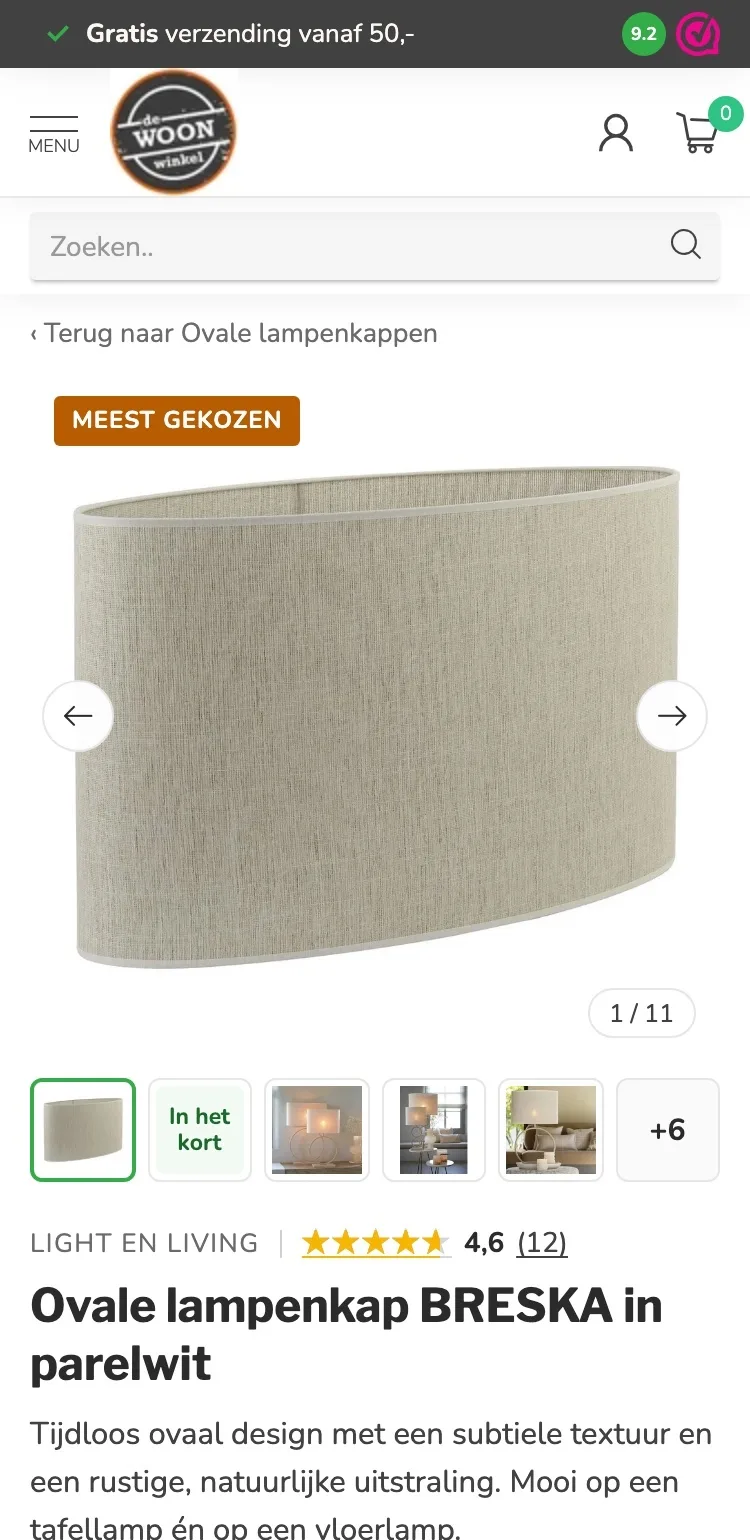
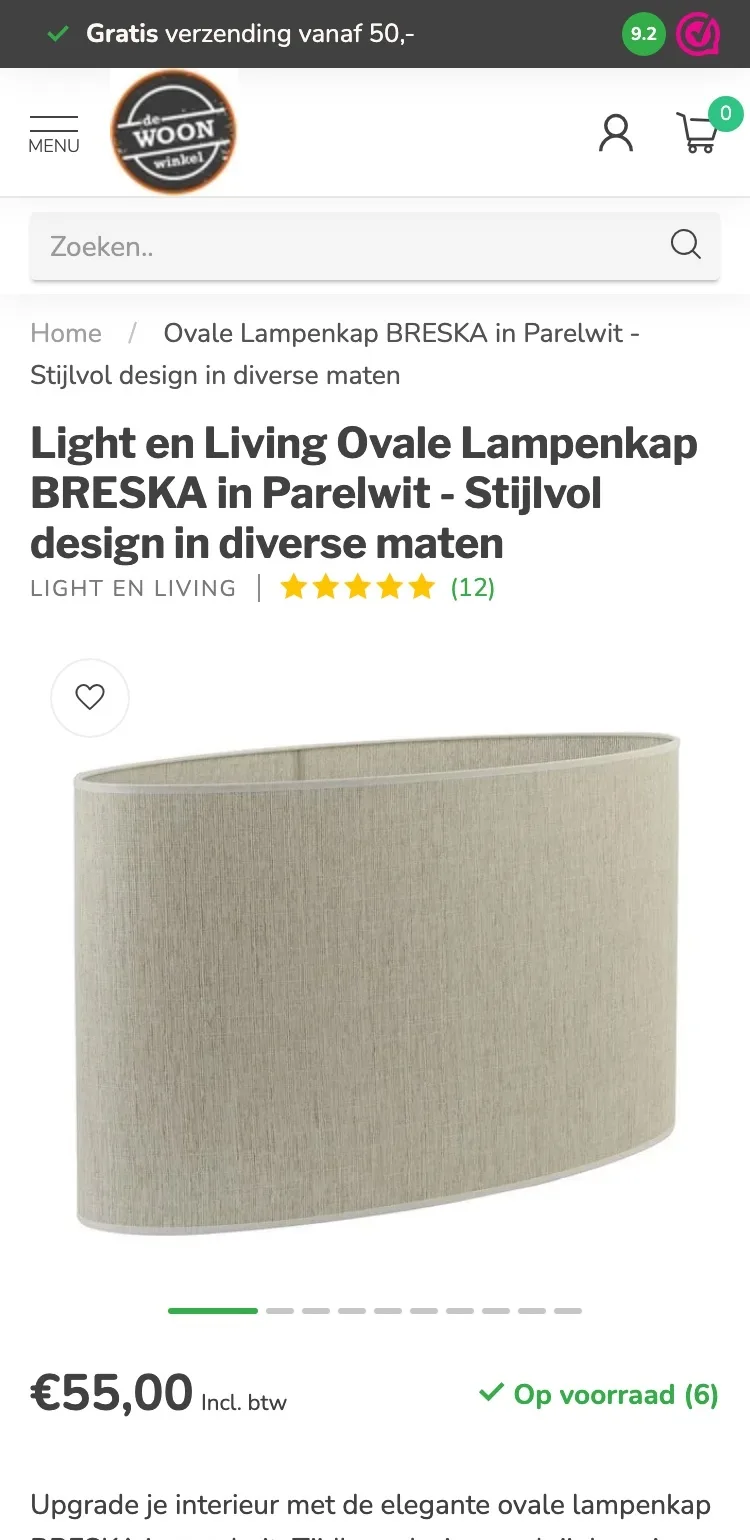
On mobile, the photos and the name right in view.
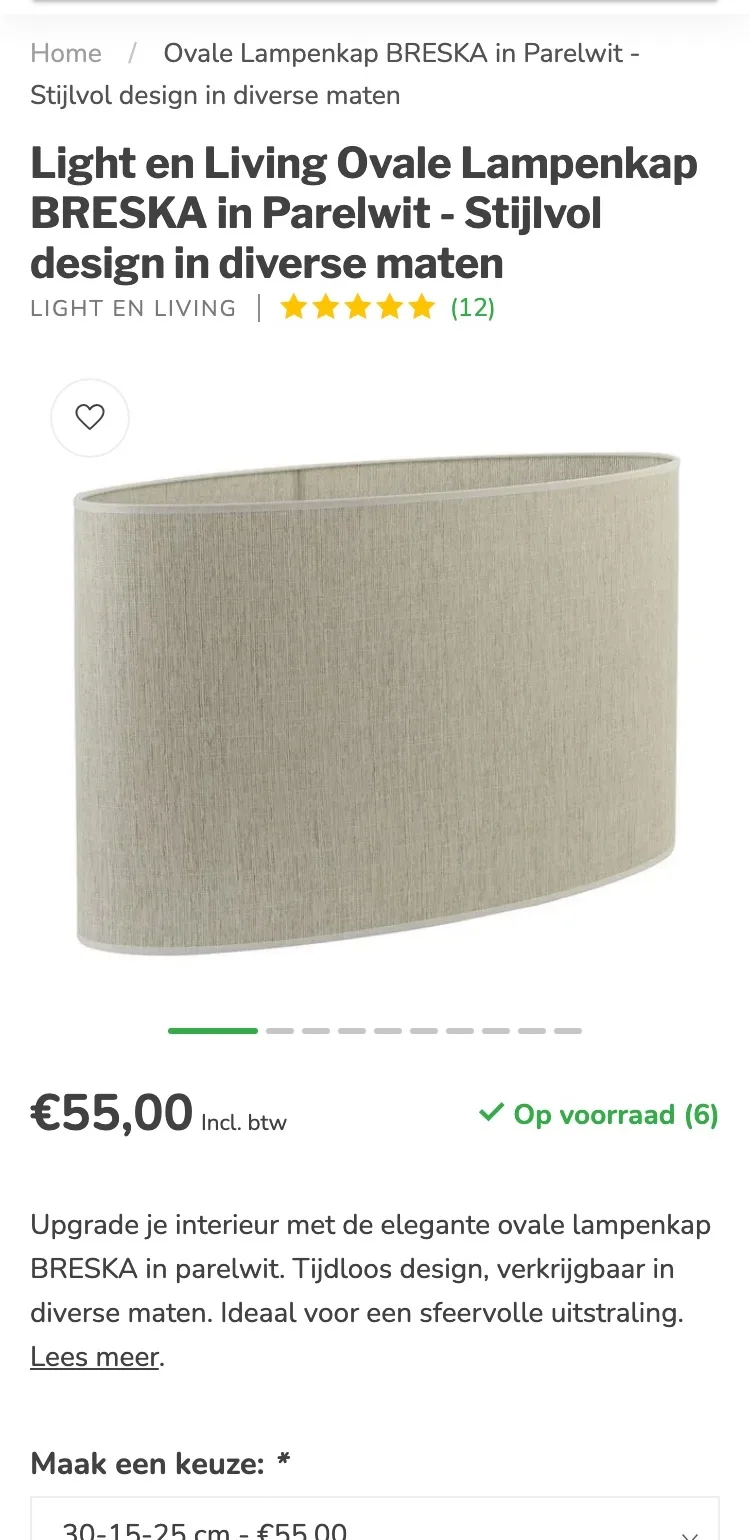
- 01Short way backAt the top, the full product name was shown as a breadcrumb. Now one tap takes you back to all oval lampshades.
- 02Thumbnails below the photoYou saw dashes below the photo. Now you see right away which photos there are, including the lifestyle photos with a base.
- 03‘Meest gekozen’ (Most popular)‘Meest gekozen’ (Most popular) was only below ‘Recent bekeken’ (Recently viewed). Now the label is on the large photo itself.
Choosing a size.
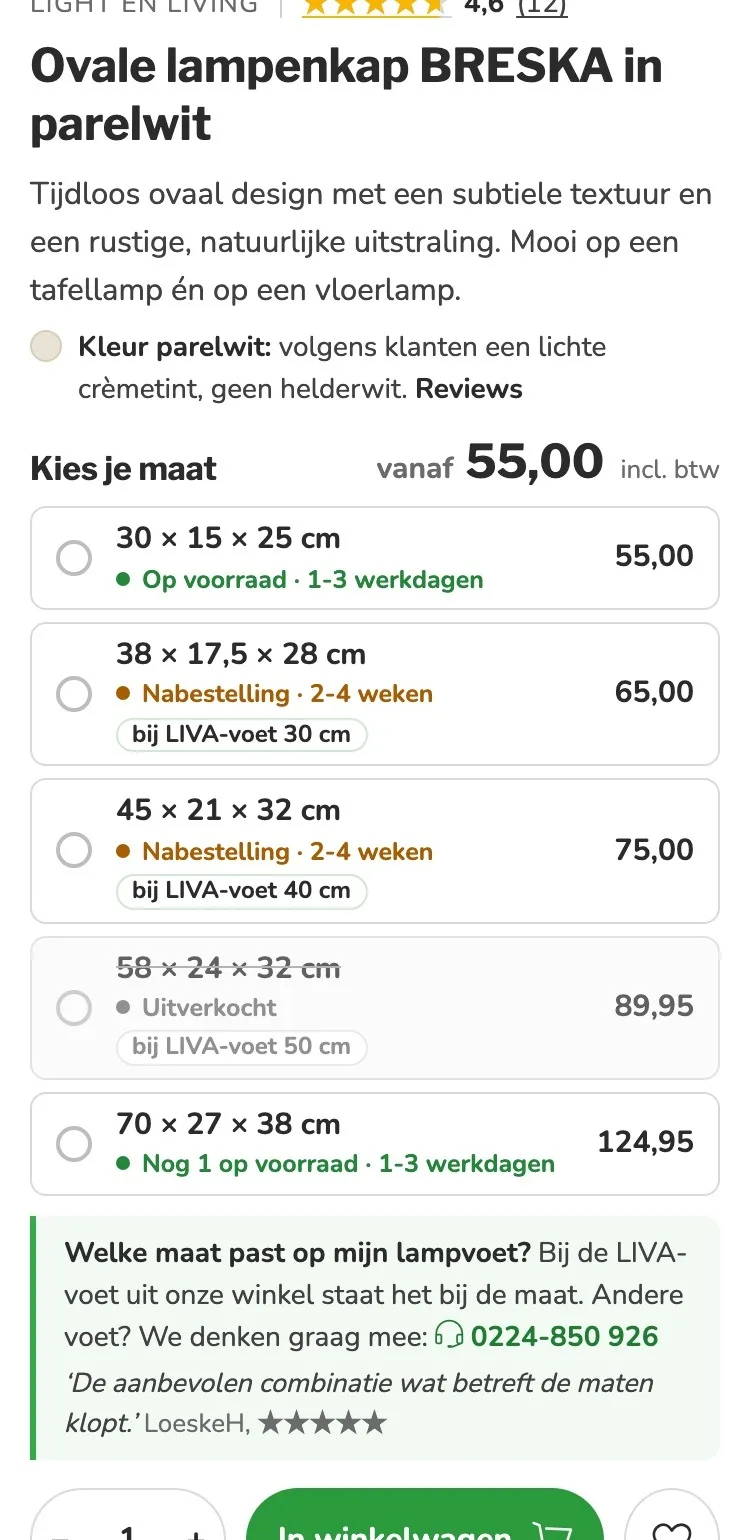
Every size with stock and the base that goes with it.
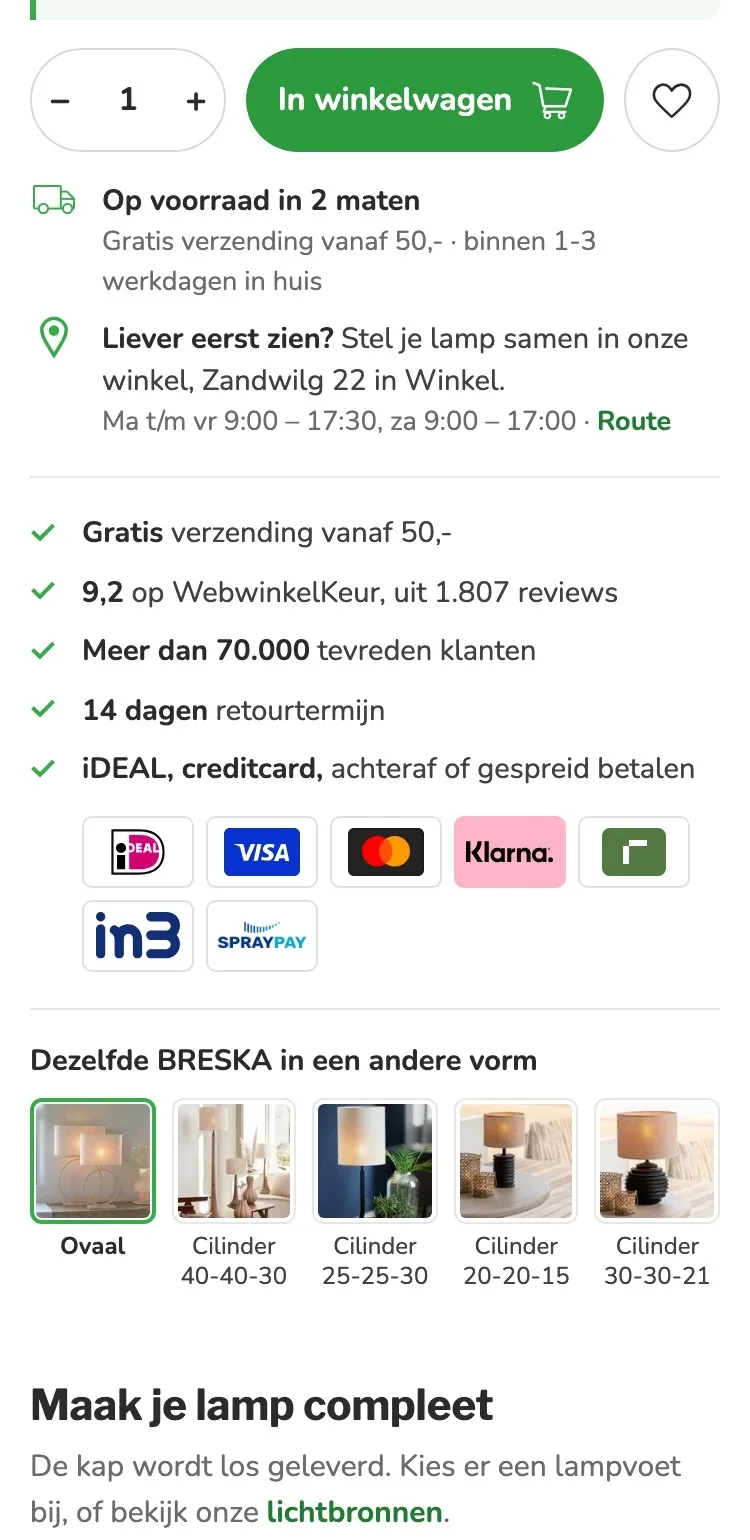
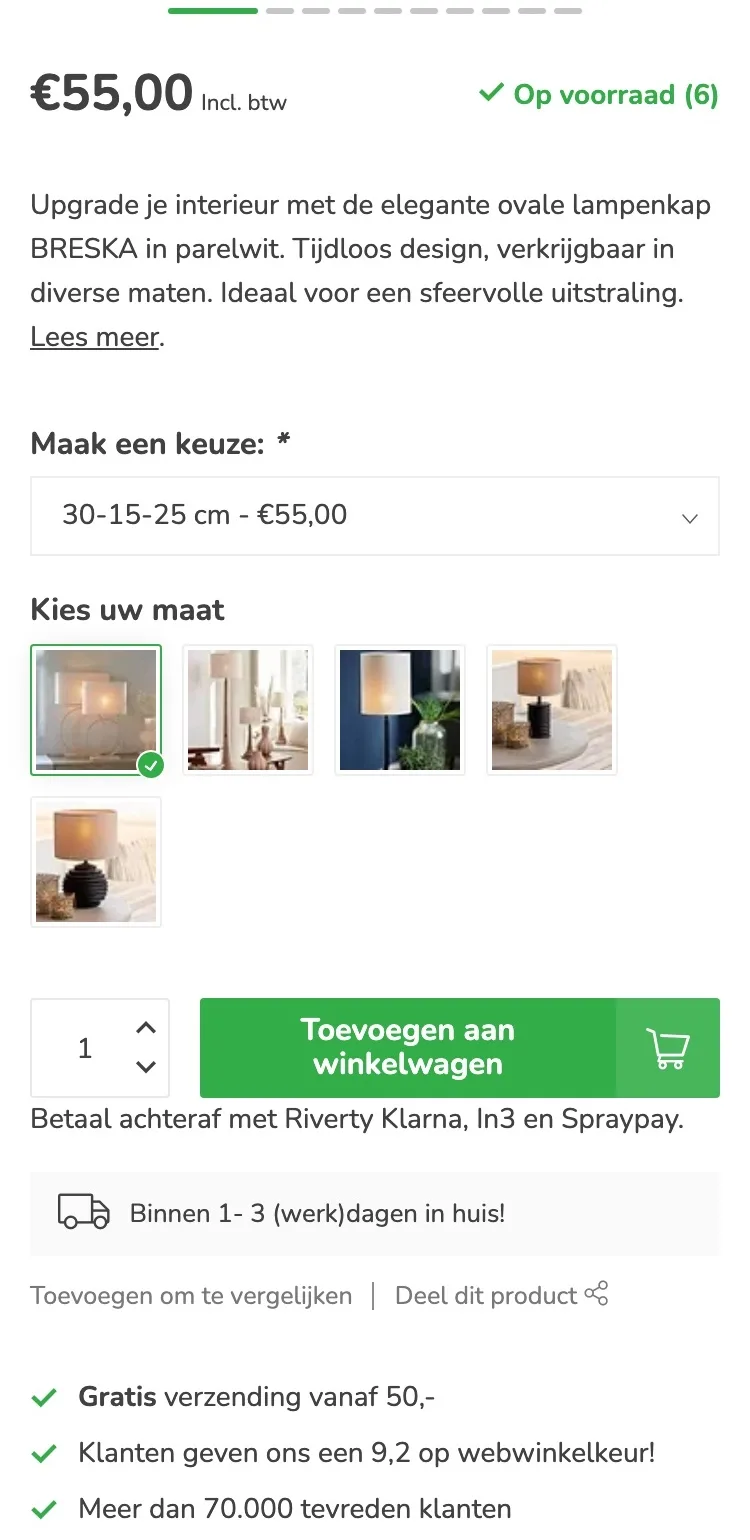
- 01Sizes as buttonsYou only saw stock and delivery time for the selected size. Now you see for each size the price, whether it’s in stock and how soon you’ll have it.
- 02Which base goes with it?Three sizes show which LIVA base they fit, with a phone number for other bases.
- 03Color named honestlyThat pearl white is a light cream tint now says by the title. That prevents disappointment and returns.
Around the button.
Delivery, store and payment below the button.
- 01When it arrivesThe delivery time applied to the standard size. Now it says below the button how many sizes are in stock, and that ‘binnen 1-3 werkdagen’ (within 1-3 business days) applies to those sizes.
- 02See it in Winkel firstBelow the button it now says you can put together your lamp in the store, with the address and directions.
- 03Logos instead of textBy the button there was only a line about paying later. Now iDEAL, credit card and pay later are shown as logos.
The shade in brief.
The essentials in one image.
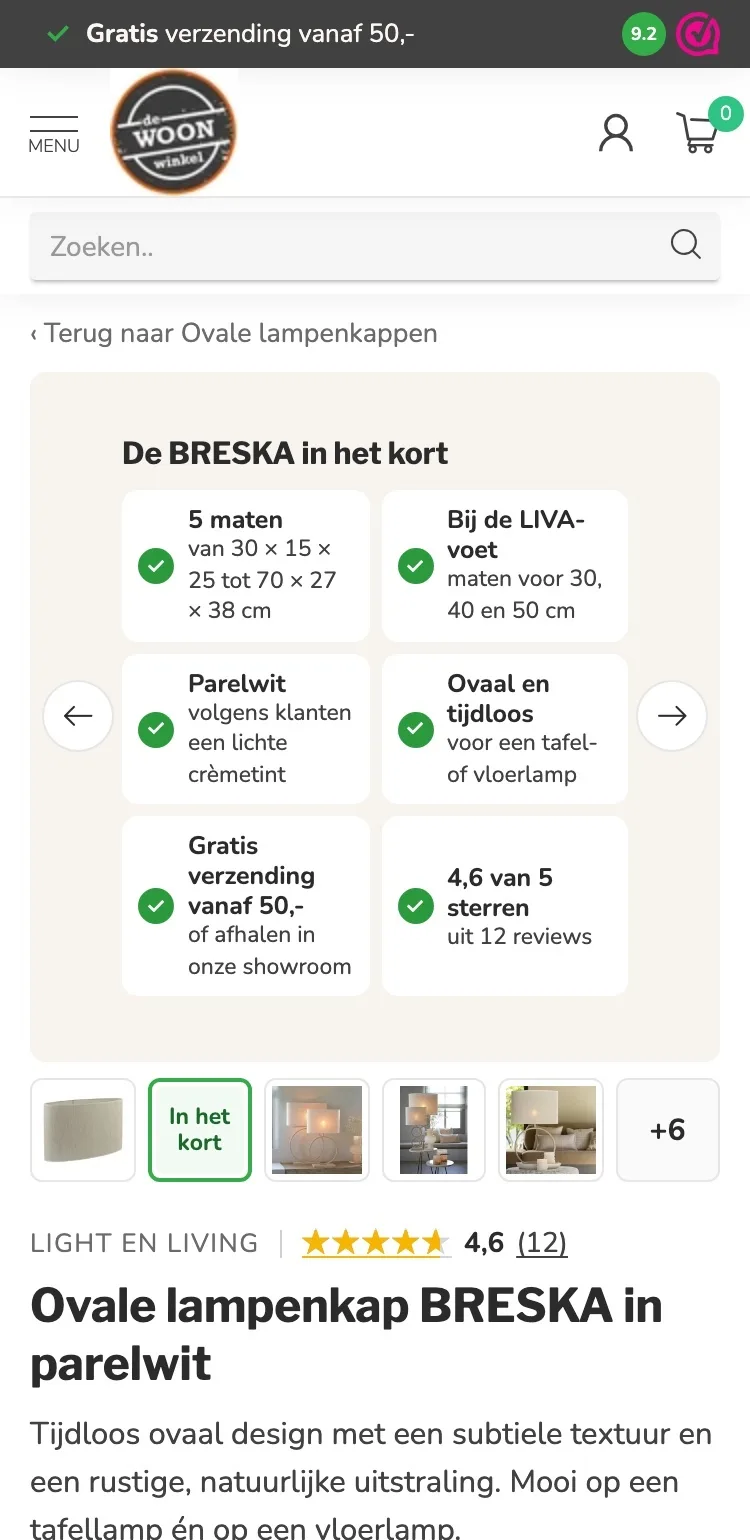
- 01One summary imageSizes, color, delivery and the score were spread out, and the matching base was missing. Now it’s all together in the gallery.
- 02Without scrollingIf you’re unsure about the size, you see right away that there are sizes for the 30, 40 and 50 cm LIVA base.
- 03Photos stay intactThe product photos stay in their own frame. The overview is a separate image in the gallery.
Complete your lamp.
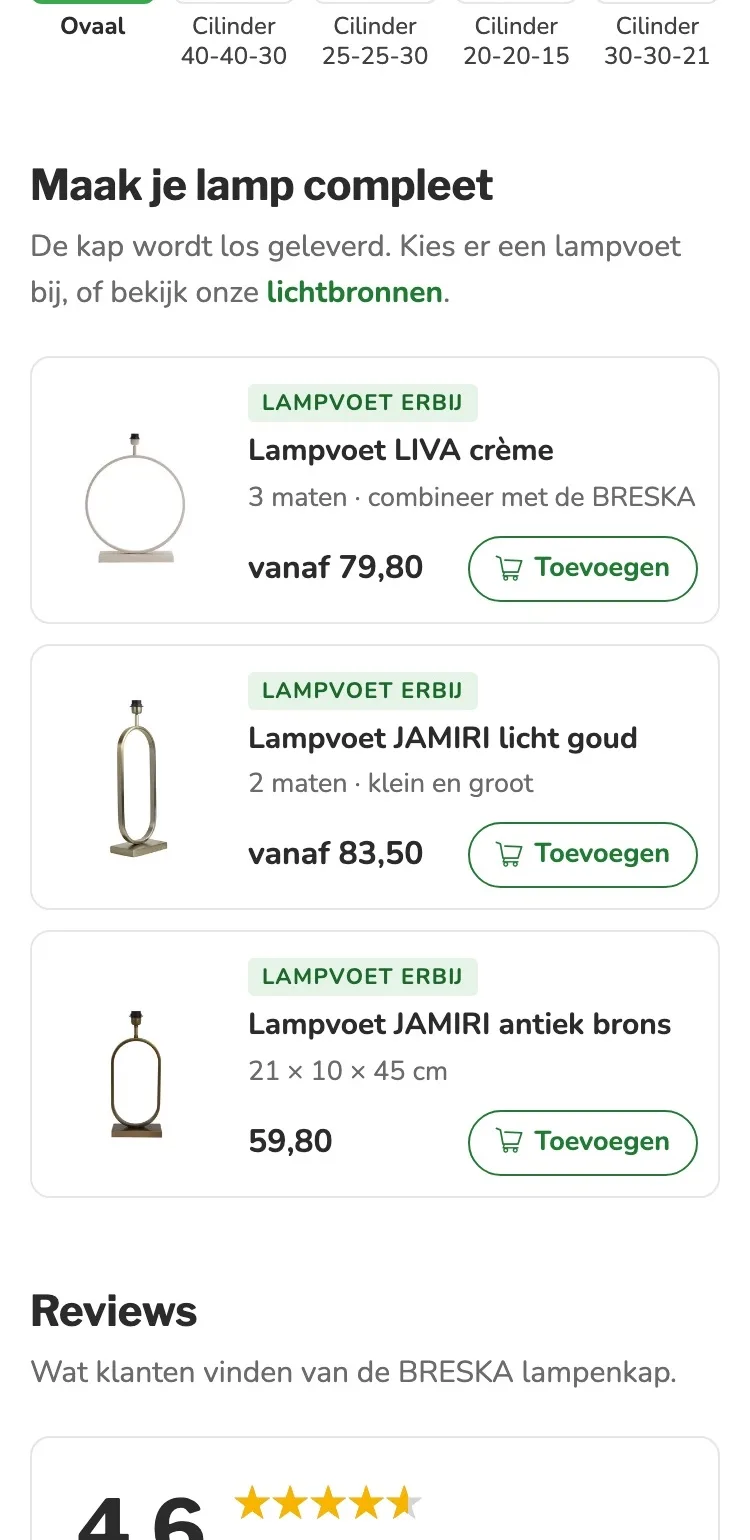
The base that goes with it, added in one tap.
- 01Add a lamp baseThe lamp bases were lower down in a list. Now they come right after the buy box, with a label that says what it is.
- 02Sizes and priceThe LIVA base shows that there are three sizes to combine with the BRESKA, priced from €79.80. Choose a shade, and the base adjusts to match.
- 03Its own buttonEach base has an add button, without leaving the page.
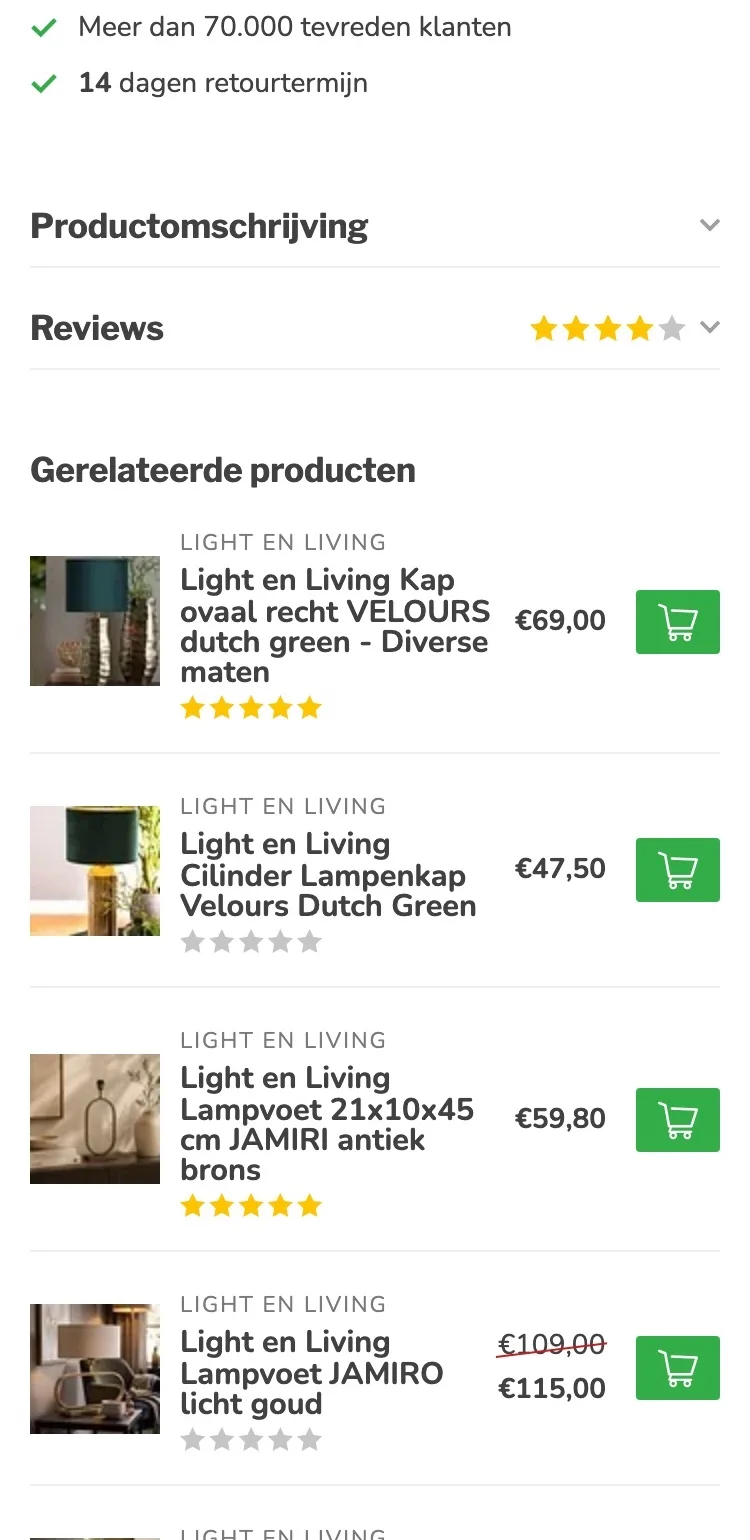
Reviews.
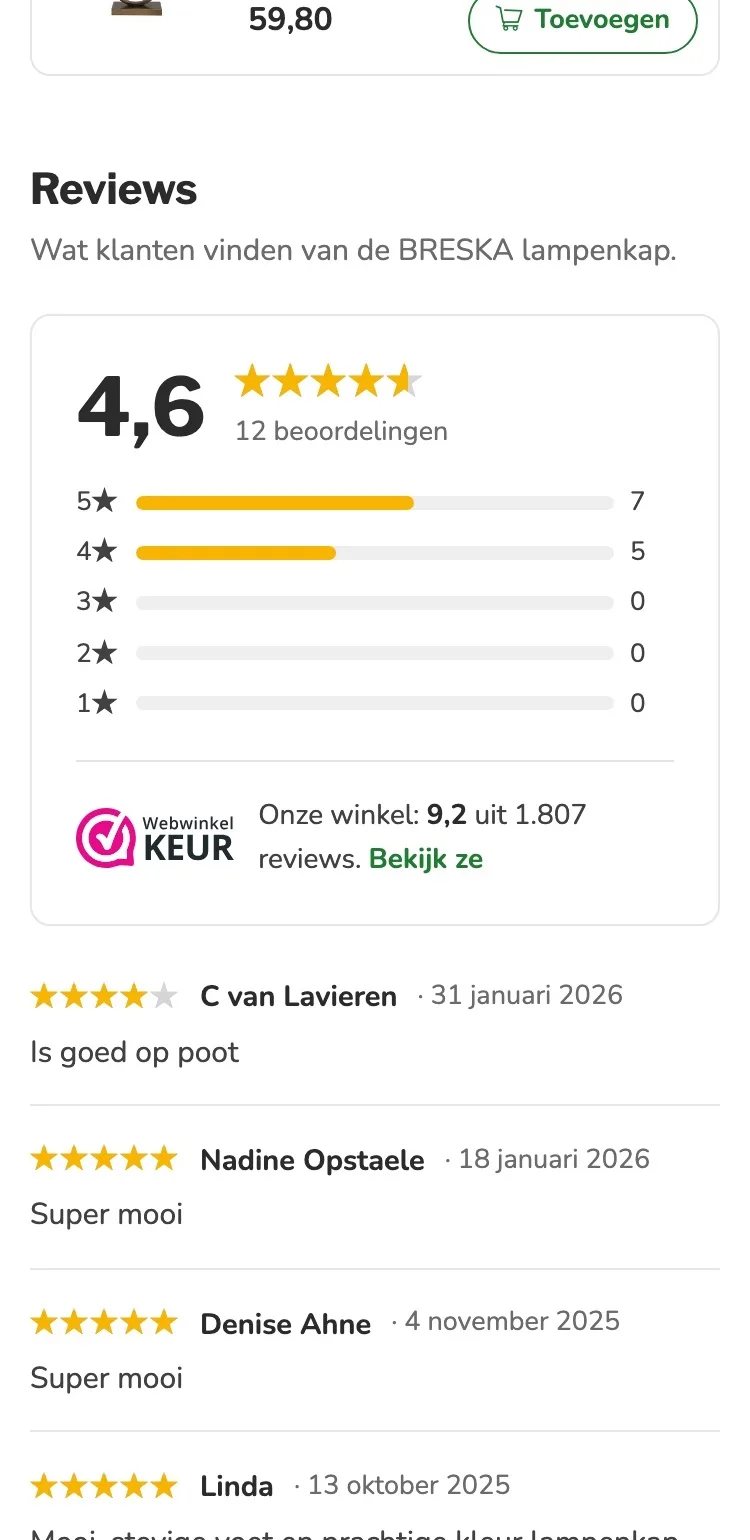
First the score, then the experiences.
- 01Reviews higher upThe reviews were collapsed below the description. Now they come right after the lamp bases, open.
- 02Score with breakdownFirst 4.6, with how many reviews per star: seven times five stars and five times four stars.
- 03The store score tooBelow it is the store’s WebwinkelKeur rating: 9.2 from 1,807 reviews, with a link to read them.
Questions and the store.
Answers and the store at the bottom of the page.
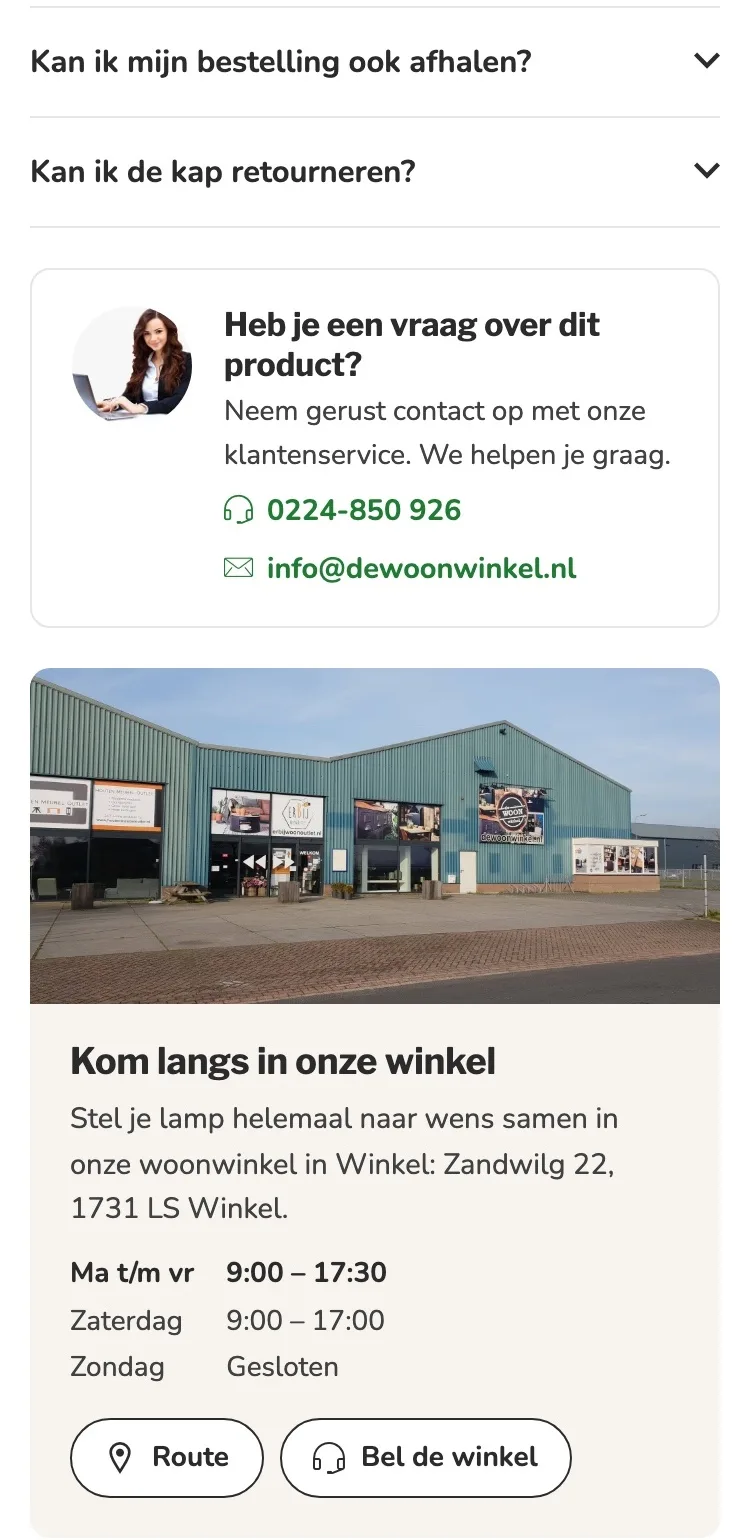
- 01Questions you tap openThe questions were in the long description. Now you tap them open, with extra questions about pickup and returns.
- 02Call and emailCalling and emailing are buttons that work right away.
- 03Come by in WinkelAt the bottom there’s a photo of the store, the address and the opening hours, with a button for directions.
After adding to cart.
Confirmation with the base that goes with it.
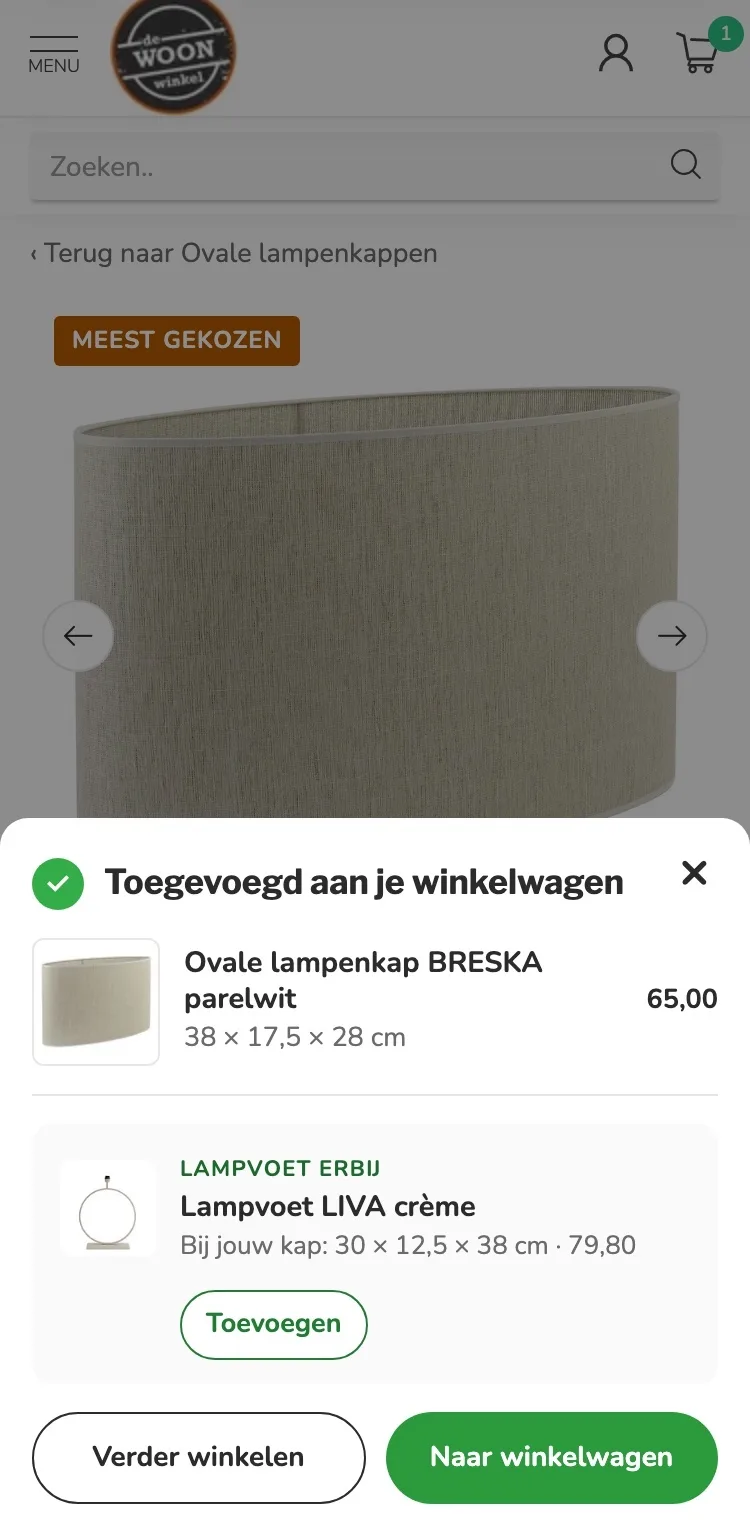
- 01The base that goes with itAs before, adding is followed by a confirmation with suggestions. What’s new is the LIVA base in the size that matches the shade you chose, with the right price.
- 02Shade and price in viewThe confirmation shows the shade in the size you chose (38 × 17.5 × 28 cm), with the price.
- 03Next step clearBelow the confirmation are two buttons: ‘Verder winkelen’ (Continue shopping) or ‘Naar mijn winkelwagen’ (Go to my cart).
Click through the new design yourself.
The design works like a real page, on desktop and on your phone. You just can’t place an order with it yet.
From design to more orders.
This is how we take the new design live, and measure what it delivers.
- 01Only the pageHeader, menu, USP bar and footer stay exactly as they are now. We only change the content of the product page.
- 02Test first, then go liveWe run the new design in an A/B test next to the current page and measure orders per visitor.
- 03Your own strengthsYour own photos, visuals, reviews and tone of voice: it all came from you already, just in a better place.
This design live
on your online store?
With the AI Design Agent, we put this design on your existing online store, and then keep improving it every month with CRO. Built by our specialists. Without spending thousands of euros a month on it.
- No rebuild, no migration
- Your back office stays the way you know it
- Only goes live after your approval
- 01Ongoing development for a fixed monthly feeNo separate quotes for every change. If we see an opportunity or you have an idea, we build it.
- 02CRO improvements, implemented right awayWe analyze your online store and implement improvements in days instead of months.
- 03Safe, and you see what changesWe build and test everything in a preview first. It only goes live after your approval, and every version is saved.